Training Certificate
From $6.00
A modern certificate of completion for courses and training programmes, in Arabic (true right-to-left), English, French and Spanish. A4 and US Letter PDFs with bleed and office-print versions, editable SVG and HTML with batch name filling and a QR code.
- Secure payment via PayPal
- Instant digital delivery
- Clear licensing
- Support available
Overview
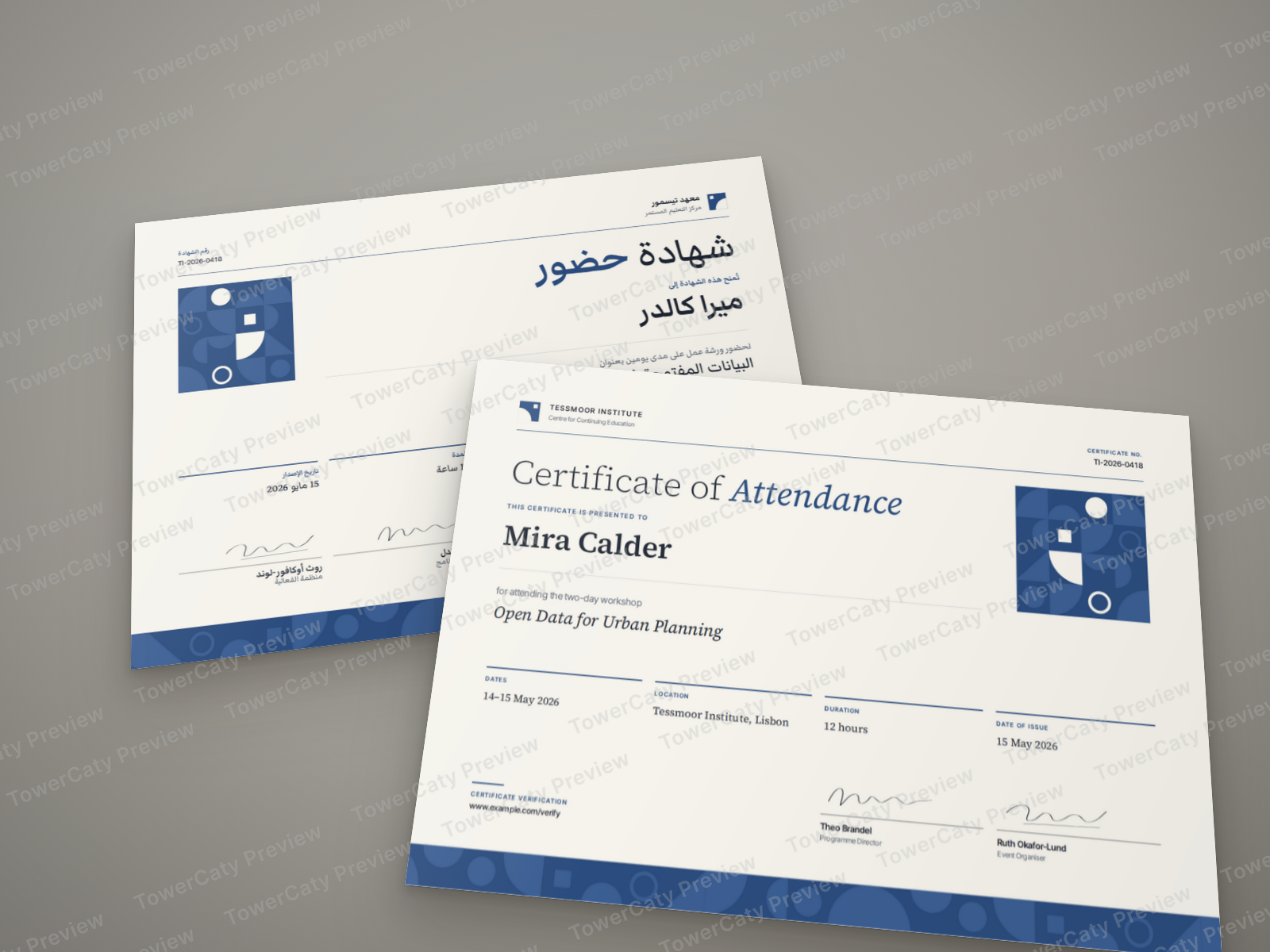
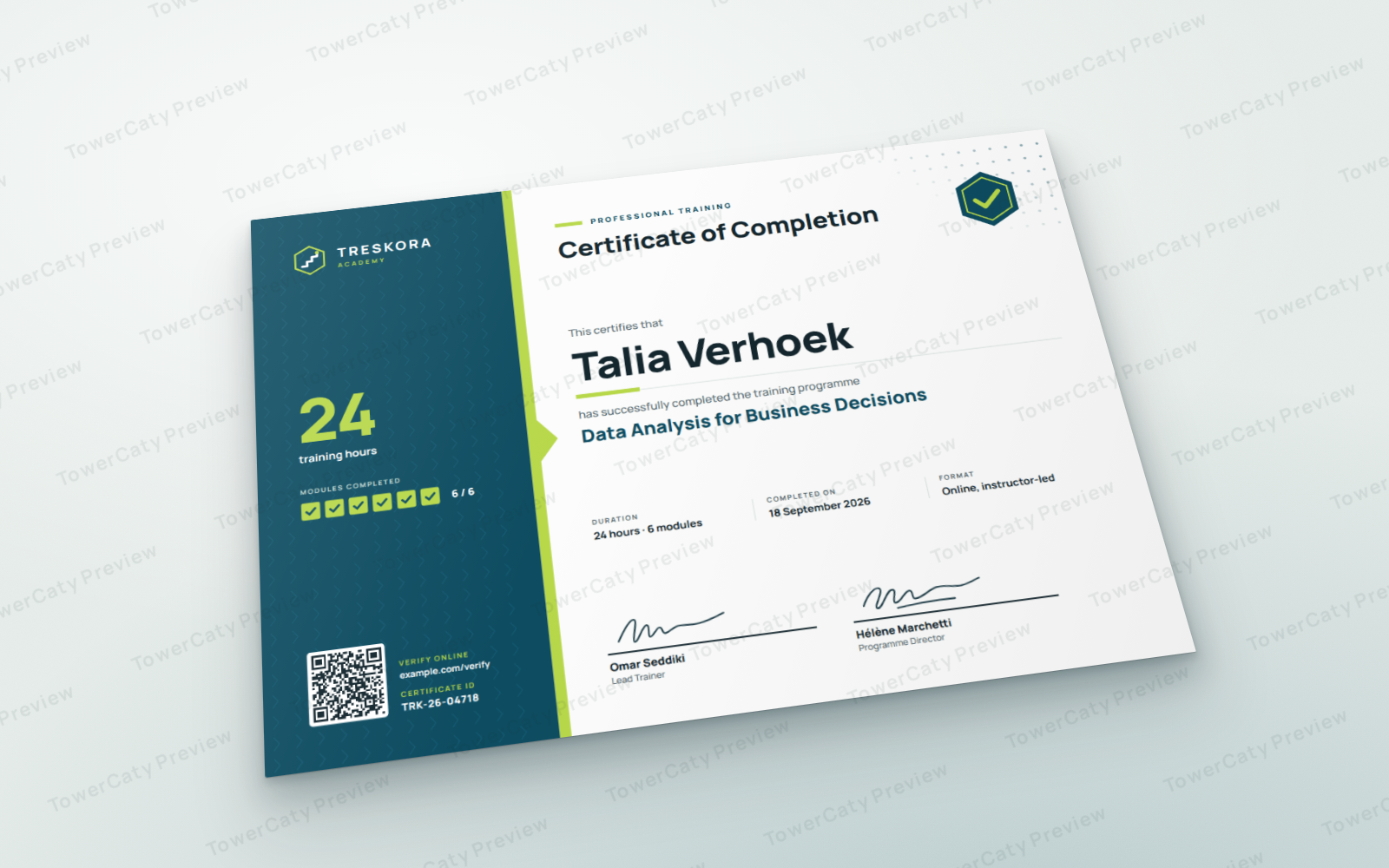
Training Certificate is a clean, modern certificate of completion for a course, workshop or training programme. A bold deep-teal side panel with a lime ribbon and arrow carries the training hours, the completed modules and a verification block, while the light main area presents the participant's name, the course title, the duration, the completion date, the format and two signature lines (trainer and programme director). A hexagon completion badge, fine chevron pattern and dot grid give it a contemporary e-learning feel.
Four real language versions
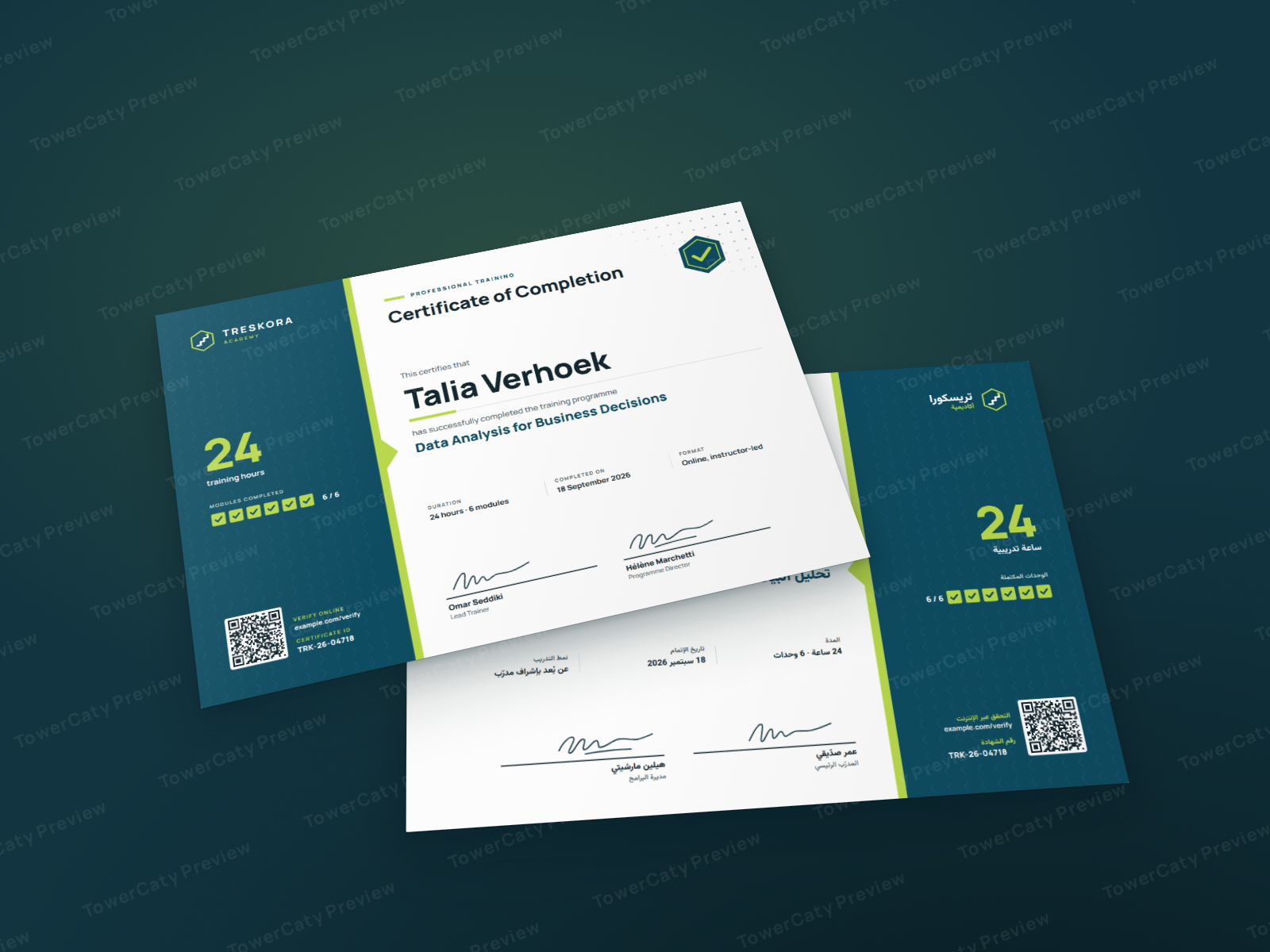
- Arabic: a mirrored right-to-left layout, not just translated text. The panel, ribbon arrow, badge and tick boxes swap sides, all text is right-aligned and set in Vazirmatn, and the wording is gender-neutral so it suits any name. Western digits (0–9) are used throughout; the certificate ID and web address stay left-to-right.
- English, French and Spanish: natural certificate wording in each language, with correct accents (including accented capitals such as DÉVELOPPEMENT and MÓDULOS).
Print-ready in two sizes
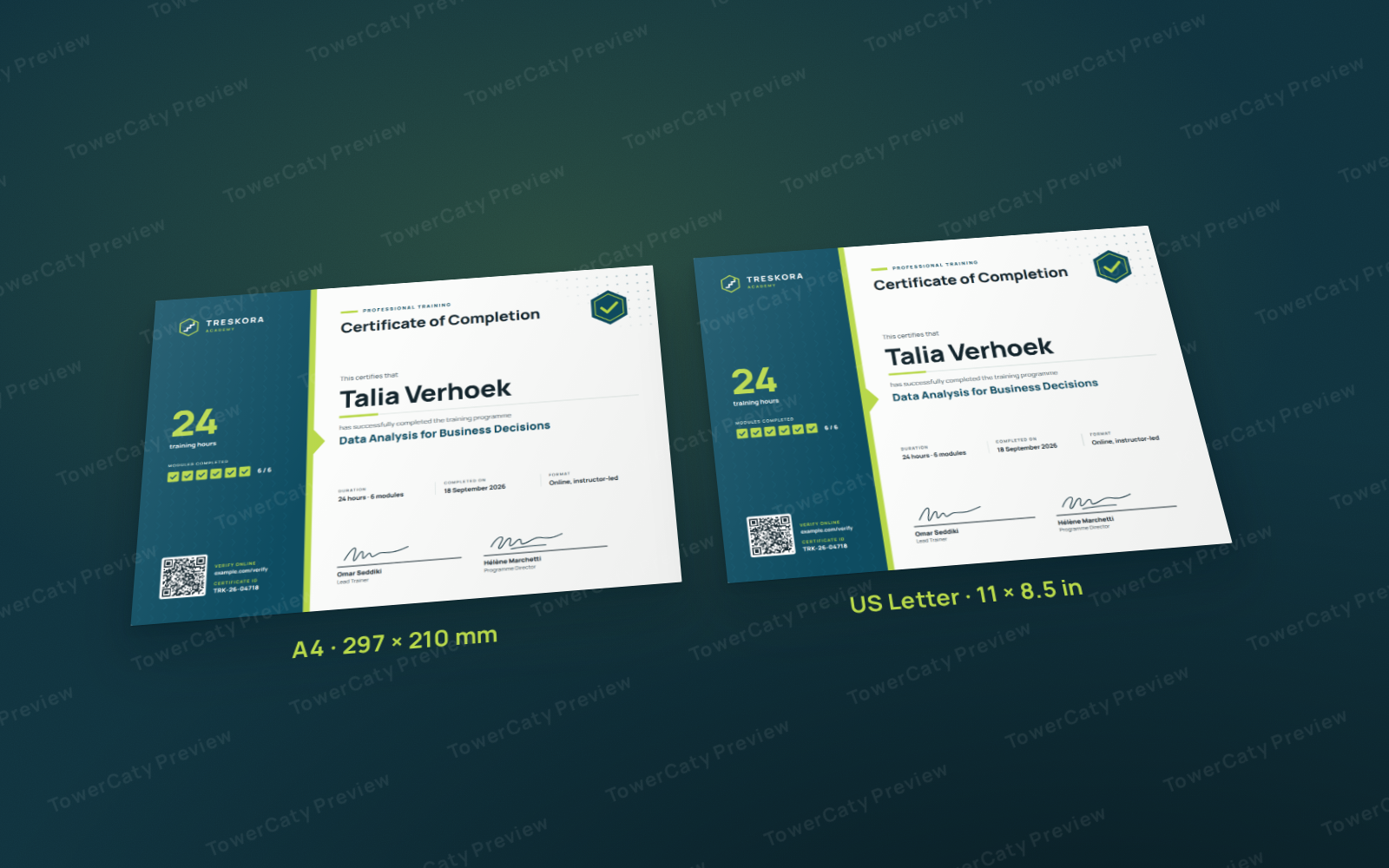
- A4 landscape (297 × 210 mm) with 3 mm bleed: PDF page 303 × 216 mm.
- US Letter landscape (11 × 8.5 in) with 0.125 in bleed: PDF page 11.25 × 8.75 in.
- A generous 12 mm safe area: text, logo, badge and QR code stay well inside the trim.
- Print-shop PDFs with embedded fonts and TrimBox/BleedBox, separate "with-guides" PDFs for proofing, and office-print PDFs at exact A4 or Letter size with a white margin, for desktop printers that cannot print to the edge.
Editable and easy to fill in
- 4 HTML/CSS files (one per language, both sizes): change the name, course, hours, date, signatories and certificate ID in one clearly marked block, then save as PDF from Chrome or Edge.
- Batch mode: print one certificate per person from a simple list file or from a CSV exported from any spreadsheet. Each certificate gets its own name, ID and QR code. Sample lists with three names are included for every language.
- Verification QR code (optional) that opens your verification address plus the certificate ID; the samples point to example.com. It can be switched off.
- 8 SVG files (4 languages × 2 sizes) with live text and named layers: Artwork, Logo, Ornament, QR code, Text and Guides. They open in Adobe Illustrator, Inkscape, Affinity Designer and Figma once the included fonts are installed.
- PNG previews of every language and size.
Good to know
- The PDFs are RGB. Print shops convert them to CMYK; the README explains how to get the most accurate colours.
- This is a design file package: printing services and editing software are not included.
- All sample details are fictional (academy, logo, people, course, certificate IDs and example.com addresses), and the signature marks are generic drawn scribbles, ready to be replaced with your own.
What's included
- Complete product files (ZIP)
Languages
The product files and designs come in these languages.
Features
- Certificate of completion for courses, workshops and training programmes
- Four language versions: Arabic, English, French and Spanish
- Arabic version with a mirrored right-to-left layout, Arabic typography and gender-neutral wording
- Western digits in the Arabic version; certificate ID and web address kept left-to-right
- Two landscape sizes: A4 (297 × 210 mm) and US Letter (11 × 8.5 in)
- 3 mm / 0.125 in bleed and a generous 12 mm safe area
- Print-shop PDFs (page = trim + bleed) with embedded fonts, TrimBox and BleedBox
- Office-print PDFs at exact A4 or Letter size with a white margin for desktop printers
- Separate with-guides PDFs showing bleed, trim and safe lines
- Fields for name, course title, hours, modules, date, format, two signatories and certificate ID
- Optional verification QR code built from your address and the certificate ID
- Batch mode: one certificate per person from a list file or a CSV spreadsheet export
- Sample batch lists with three names for every language
- HTML/CSS sources with one clearly marked block of editable details and colour variables
- 8 editable SVG files with live text and named layers, including a separate QR code layer
- PNG previews of every language and size
- Original logo mark, completion badge and geometric accents, no stock images
- Manrope and Vazirmatn fonts included (SIL OFL)
- Bilingual README (English and Arabic) covering editing, batch filling, fonts and printing
- Fictional sample data with example.com addresses
Requirements
To print: use the PDF files as they are with any print shop, office printer or PDF viewer. To edit the details or batch-fill names: any text editor plus Google Chrome or Microsoft Edge to preview and save as PDF. To edit the SVG files: a vector design app that opens SVG, such as Adobe Illustrator, Inkscape, Affinity Designer or Figma, with the included Manrope and Vazirmatn fonts installed first. No software is included in the package.
Compatibility
PDF: any PDF viewer and standard print workflows (RGB, fonts embedded, TrimBox and BleedBox set on the print-shop files). HTML: current Google Chrome and Microsoft Edge (needed for batch mode and the QR code). SVG: Adobe Illustrator, Inkscape, Affinity Designer and Figma (import). Fonts: TrueType (.ttf) for Windows, macOS and Linux. CSV: UTF-8, comma or semicolon separated.
Installation
- Download
training-certificate-1.0.0.zipand unzip it, keeping the folder structure. - To print the sample as is, open
print/a4/orprint/letter/and pick the PDF for your language: the plain file for a print shop, or the-officefile for a desktop printer (print at 100 %). - To fill in your own details, open
source/html/training-certificate-<lang>.htmlin a text editor, change the CERT block at the top, then open the file in Chrome or Edge and save it as PDF. - For several people, edit
source/html/data/recipients-<lang>.jsand open the HTML file with?batch=1, or use the Load CSV button. - To edit the SVG files, first install the fonts from the
fonts/folder. ReadREADME.mdfor the full guide.
User guide
- Change the details: edit the CERT block at the top of
source/html/training-certificate-<lang>.html(name, course, hours, duration, date, format, modules, signatories, certificate ID, verification address). - Many names at once: list one entry per person in
source/html/data/recipients-<lang>.jsand open the HTML with?batch=1, or click Load CSV and choose a CSV with the columns name, id and date. - QR code: it opens your verification address followed by the certificate ID; set
showQR: falseto remove it. In the SVG files, replace or delete the QR code layer if you change the ID. - Sizes and modes: the toolbar (not printed) switches between A4 and US Letter, guides and office print.
- Signatures: the drawn signature marks are placeholders; delete them to sign by hand.
- Arabic text: Arabic lines in the SVG files are anchored at their right edge. In Illustrator, use the Middle Eastern & South Asian Every-line Composer if letters look disconnected.
- Printing: send the plain PDF (trim + bleed) to a print shop and cut to the trim, or print the office PDF at 100 % on a desktop printer.
License
| Personal$6.00 | Commercial$10.00 | Extended$19.00 | |
|---|---|---|---|
| Projects | 1 | 5 | Unlimited |
| Users or sites | 1 | 1 | 5 |
| Commercial use | Not allowed | Allowed | Allowed |
| Modification | Allowed | Allowed | Allowed |
| Resale | Not allowed | Not allowed | Not allowed |
| Redistribution | Not allowed | Not allowed | Not allowed |
| Updates | 12 months | 12 months | Lifetime |
| Support period | 6 months | 12 months | 12 months |
Pay with PayPal or a debit or credit card. We send your product once the payment is confirmed.
Support & Updates
Support is provided through the contact details in your TowerCaty order email. Please mention the product name and version (Training Certificate 1.0.0), the file and app you are using, and a short description or screenshot of the issue.
Changelog
1.0.0
- Version 1.0.0: first release in the store.
Last Updated
- Last update
- Oct 8, 2026
- Version
- 1.0.0