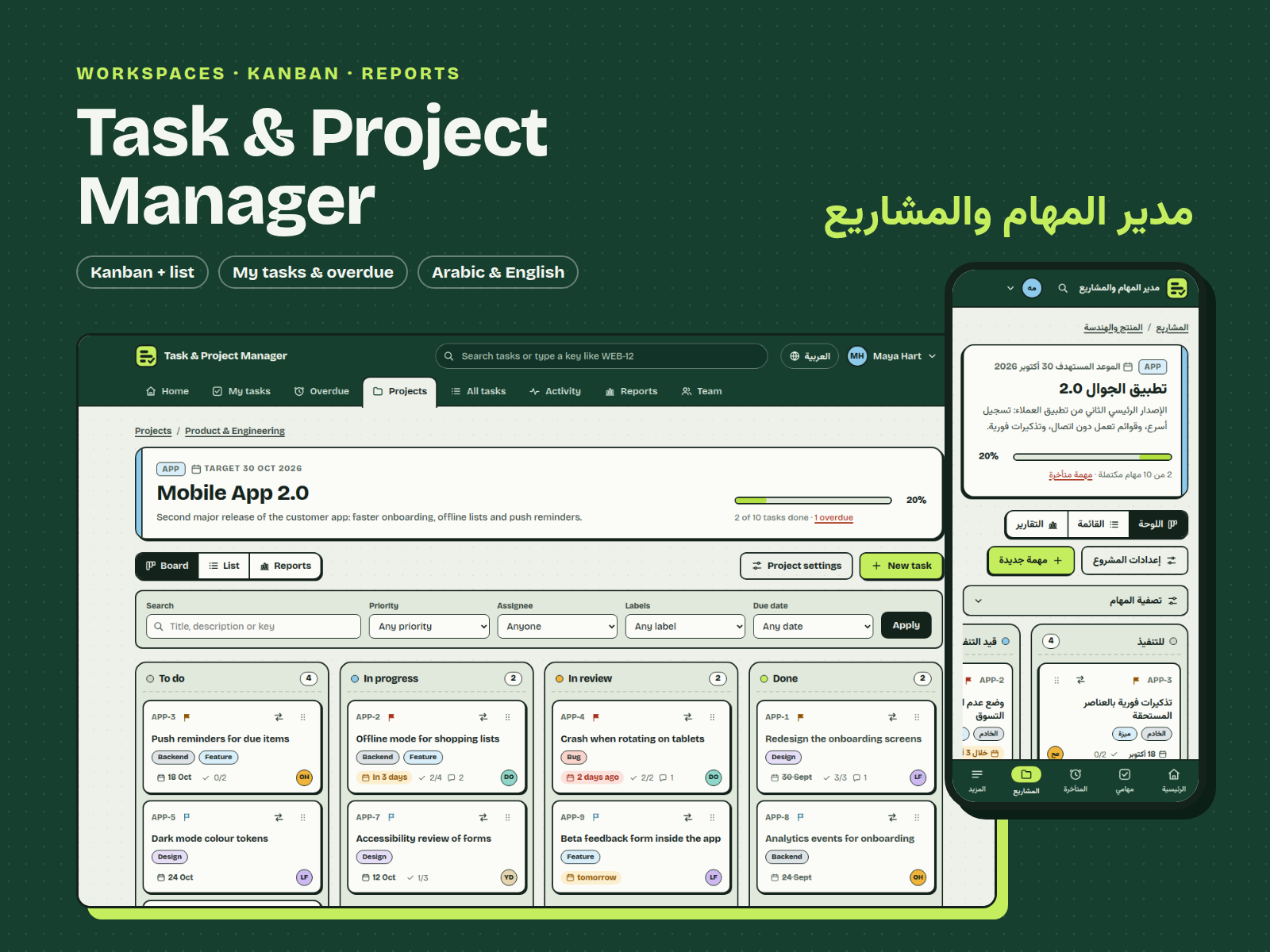
Task & Project Manager
From $69.00
Self-hosted task and project manager for small teams: workspaces, projects, Kanban and list views, checklists, comments, My tasks, overdue view, activity log and progress reports. Arabic and English, Node.js and SQLite.
- Secure payment via PayPal
- Instant digital delivery
- Clear licensing
- Support available
Overview
Task & Project Manager is a complete web app your team runs on its own computer or server. Work is organised as workspaces → projects → tasks, and every task carries a status, priority, due date, assignee, labels, a checklist and a comment thread.
Plan and move work
- Kanban board with four columns (To do, In progress, In review, Done). Drag cards with the mouse, use the Move to menu on phones, or move cards entirely from the keyboard with screen-reader announcements.
- List view: a sortable table with the same filters as the board.
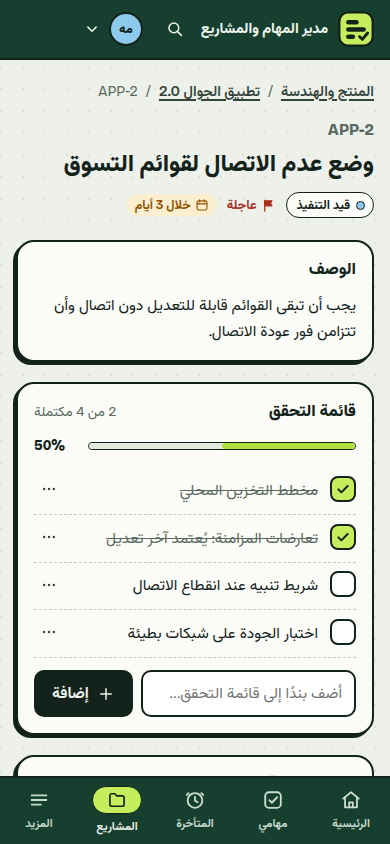
- Task page: description, checklist with progress, comments, quick status change and the full history of the task.
Stay on top of deadlines
- Home shows your open tasks, what is due this week, what is overdue and recent activity.
- My tasks groups your work into Overdue, Due today, Next 7 days, Later and No due date.
- Overdue lists every late task by project, for everyone or only you.
- Search across all projects by words or by task key (for example
APP-12), filter by priority, assignee, label and due date, and export to CSV.
Reports and history
- Progress reports per workspace or project: completion, open and overdue counts, tasks by status, priority and label, created vs completed per week, and workload per person, with CSV export.
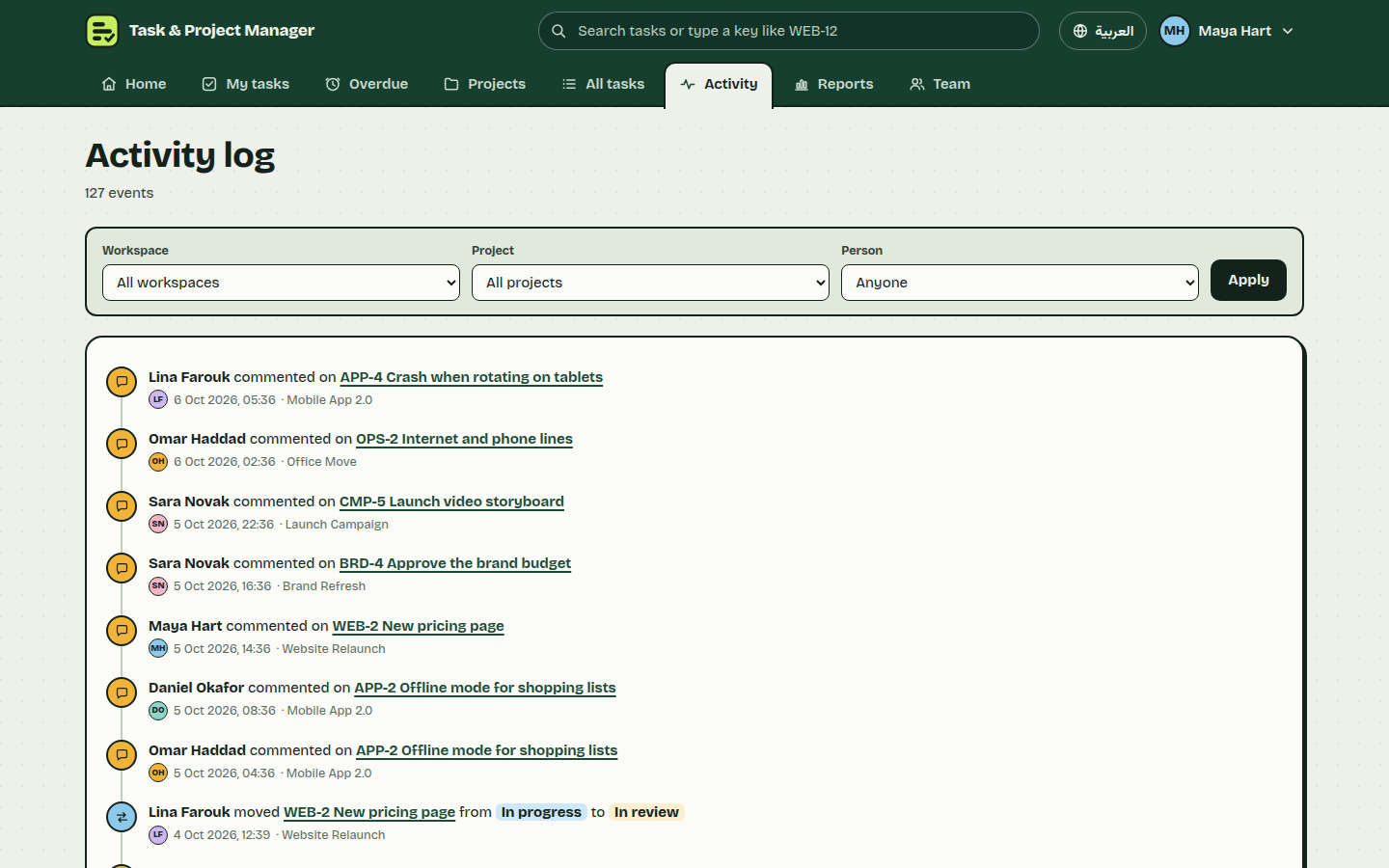
- Activity log of who did what and when, filterable by workspace, project and person.
Two roles
Owners manage workspaces, projects, labels and the team. Members work in the workspaces they belong to: create, edit and move tasks, tick checklists and comment.
Built for Arabic and English
The whole interface is available in Arabic with real right-to-left layout and an Arabic typeface, and in English. Each person picks their language.
Secure by default
Passwords hashed with scrypt, no default passwords, HttpOnly session cookies, CSRF protection on every form, server-side validation, parameterised SQL, role checks on every route and sign-in rate limiting. All data stays in one SQLite file on your machine; the app makes no external calls and sends no e-mail or push notifications.
What's included
- Complete product files (ZIP)
Languages
The product files and designs come in these languages.
Features
- Workspaces → projects → tasks with status, priority, due date, assignee, labels and checklist
- Kanban board with drag and drop, a Move to menu for touch, and full keyboard moves
- Sortable list view sharing the board filters
- Comments on tasks: edit and delete your own
- My tasks grouped by Overdue, Today, Next 7 days, Later and No due date
- Overdue view for the whole team or only you
- Search across all projects by text or task key, with filters and CSV export
- Activity log filterable by workspace, project and person
- Project progress reports: status, priority, labels, weekly created vs completed, workload
- Owner and member roles with workspace membership
- Team management: add people, set roles, deactivate, reset passwords
- Full Arabic interface with real right-to-left layout, plus English
- Responsive design with a bottom navigation bar on phones
- scrypt passwords, CSRF protection, HttpOnly cookies and sign-in rate limiting
- Single SQLite file, no external services, works offline
- Bilingual demo data and automated tests (npm test)
Requirements
Node.js 22.12 or newer with npm. Data is stored in a single SQLite file through better-sqlite3; no database server or external services are needed. Port 4123 by default (configurable in .env).
Compatibility
Built for Windows, macOS and Linux (x64 and arm64): the SQLite driver ships prebuilt binaries for these platforms, so no compiler is needed. Installation was tested on Linux x64 and Windows x64. Works in current Chrome, Edge, Firefox and Safari; tested in Chromium at 1440, 1024, 768 and 390 px widths in Arabic and English.
Installation
- Unzip
task-project-manager-1.0.0.zipand open a terminal in thetask-project-managerfolder. - Install the single dependency:
npm install - Create the database with demo data:
npm run seed(ornpm run seed -- --empty --email=you@company.com --name="Your Name"for a clean start). The command prints a temporary password for each account once. - Start the app:
npm start, then open http://localhost:4123 - Sign in and choose your own password. Optional settings (port, time zone, default language, HTTPS cookies) go in
.env, see.env.exampleand the README.
User guide
- Projects: owners create workspaces, add members, then create projects with a short key such as
APP. Tasks get keys likeAPP-12. - Board: drag a card to another column. On the keyboard, tab to the card handle, press Space, use the arrow keys, and press Space to drop or Escape to cancel. Each card also has a Move to menu.
- List: click a column header to sort; use the filter bar to narrow by search text, priority, assignee, label or due date.
- Task page: edit details, add checklist items, comment, and see the history.
- My tasks and Overdue show what needs attention; All tasks searches every project and exports CSV.
- Reports show progress per workspace or project; Activity shows who changed what.
- Team (owners): add people, set their role and workspaces, reset passwords.
- Switch between Arabic and English with the language button.
License
| Personal$69.00 | Commercial$89.00 | Extended$299.00 | |
|---|---|---|---|
| Projects | 1 | 5 | Unlimited |
| Users or sites | 1 | 1 | 5 |
| Commercial use | Not allowed | Allowed | Allowed |
| Modification | Allowed | Allowed | Allowed |
| Resale | Not allowed | Not allowed | Not allowed |
| Redistribution | Not allowed | Not allowed | Not allowed |
| Updates | 12 months | 12 months | Lifetime |
| Support period | 6 months | 12 months | 12 months |
Pay with PayPal or a debit or credit card. We send your product once the payment is confirmed.
Support & Updates
Support is available to customers through the TowerCaty store. Include your order number, Node.js version, operating system and the steps to reproduce the issue.
Changelog
1.0.0
- Version 1.0.0: first release in the store.
Last Updated
- Last update
- Oct 6, 2026
- Version
- 1.0.0