Inventory Manager
From $59.00
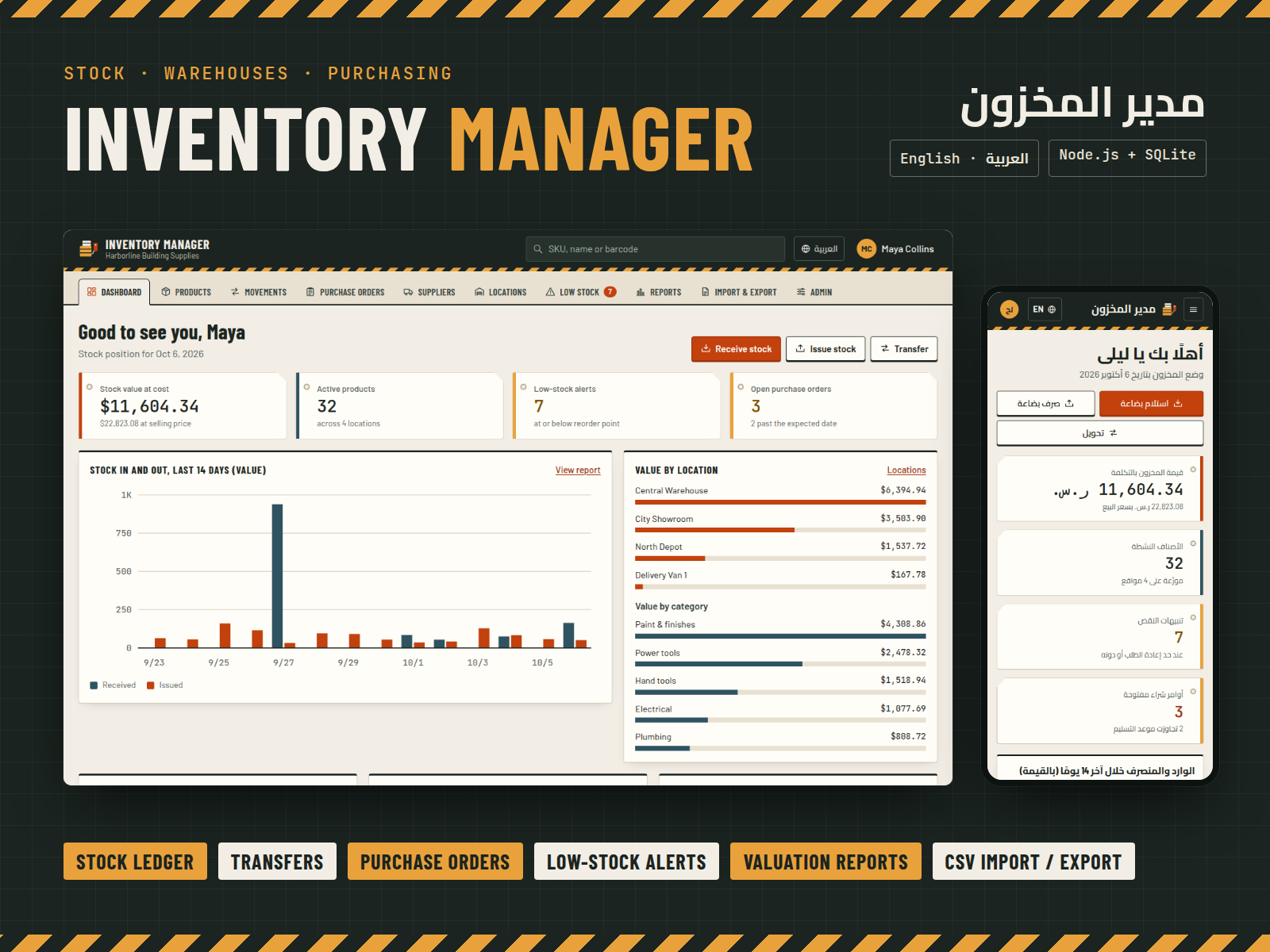
Self-hosted inventory app for small businesses: products, warehouses, stock movements, suppliers, purchase orders, low-stock alerts, valuation reports and CSV import/export. English and Arabic, admin and clerk roles.
- Secure payment via PayPal
- Instant digital delivery
- Clear licensing
- Support available
Overview
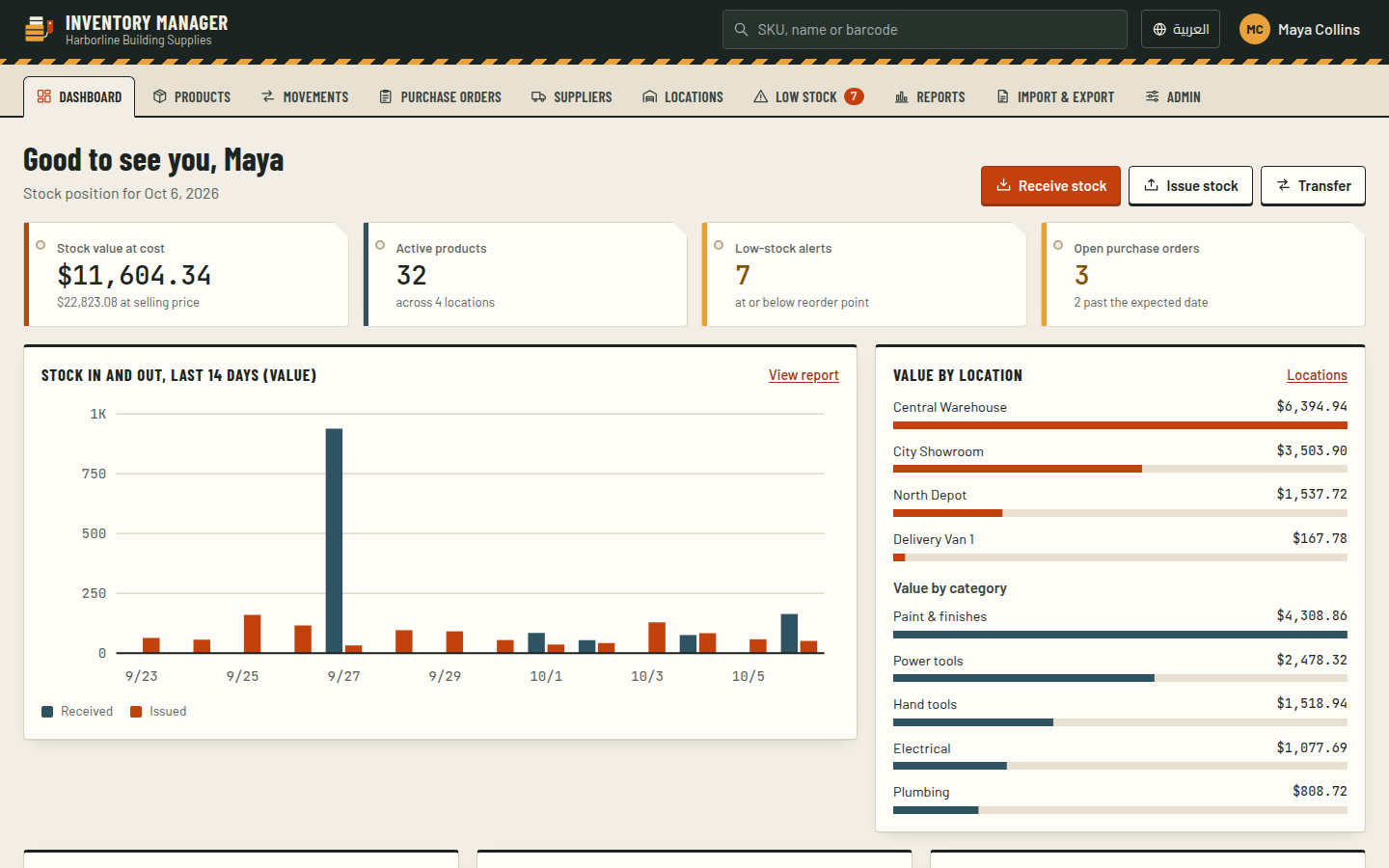
Inventory Manager is a ready-to-run web app for shops, distributors and workshops that keep stock in more than one place. Install it on your own computer or server with Node.js. It needs no database server and no monthly fees.
Every number comes from the ledger. Stock is never typed in by hand. Each stock-in, stock-out, transfer and count adjustment is a movement with a reference (IN-, OUT-, TRF-, ADJ-), a date, a reason and the person who recorded it. On-hand quantities and values are calculated from those movements, so you can always see how a number came about.
What you get
- Products and SKUs: categories, units of measure, barcode, cost and selling price, and reorder levels.
- Locations: any number of warehouses, shops and vans, with stock per location.
- Movements:
- Stock out is refused when the stock isn't there.
- A transfer moves goods between locations in one step.
- An adjustment takes the counted quantity and posts the difference.
- Suppliers and purchase orders: draft, order, receive partial deliveries, and see late orders at a glance.
- Low-stock alerts: an in-app list of items at or below their reorder point (no e-mail or push notifications); turn them into draft purchase orders with one click.
- Reports: stock valuation at weighted average cost, and a movement summary for any period. Both can be downloaded as CSV.
- CSV import and export: import products and stock counts, with row-by-row validation before anything is saved.
- Two roles: administrators manage everything. Clerks record day-to-day movements and receive deliveries.
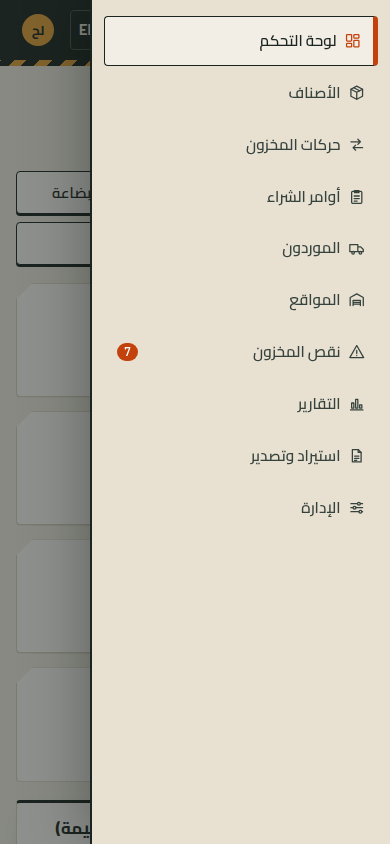
- Two languages: a full Arabic interface with true right-to-left layout, and a choice of Western or Arabic-Indic digits.
The source code is included and documented, so you can change colours, fonts, the logo and every label.
What's included
- Complete product files (ZIP)
Languages
The product files and designs come in these languages.
Features
- Stock derived from a movement ledger: every quantity is traceable
- Stock in, stock out, transfers between locations and count adjustments
- Negative stock is refused, with the available quantity shown
- Products with SKU, barcode, category, unit, prices and reorder levels
- Unlimited warehouses, shops and vans with stock per location
- Suppliers with lead times, contacts and linked products
- Purchase orders with partial receiving and late-order flags
- In-app low-stock alerts that draft purchase orders per supplier
- Stock valuation at weighted average cost, by location and category
- Movement summary report: opening, in, out, adjustments, closing
- CSV export of products, stock levels, movements and suppliers
- CSV import of products and stock counts with a check-only mode
- Administrator and clerk roles with server-side permission checks
- Full Arabic interface with right-to-left layout
- Works on phones, tablets and desktops
- Secure sign-in: scrypt password hashing, CSRF protection, rate limiting
- Single SQLite file: no database server to install
- Realistic sample data in English or Arabic, plus automated tests
Requirements
Node.js 22 or newer. Built for Windows, macOS and Linux; installation was tested on Linux x64 and Windows x64. One npm dependency (better-sqlite3) with prebuilt binaries for x64 and arm64. Data is stored in a single SQLite file. No external services or internet connection are needed at runtime.
Compatibility
Current Chrome, Edge, Firefox and Safari on desktop, tablet and phone. Tested in Chromium at 1440, 1024, 768 and 390 pixels wide in English and Arabic. Tested on Node.js 22 under Linux x64.
Installation
- Unzip
inventory-manager-1.0.0.zipand open a terminal in theinventory-managerfolder. - Run
npm install. - Run
npm run seedto create the database with sample data, ornpm run seed -- --lang=arfor Arabic sample data. For an empty database ready for real use, runnpm run setupinstead. - Run
npm startand open http://127.0.0.1:4122. - Sign in as
adminwith the passwordChangeMe-2026. You must choose a new password straight away.
Optional settings (port, database location, HTTPS cookie flag) are in .env.example. The README covers deployment behind HTTPS, backups and running the app as a service.
User guide
Getting started
- Under Admin → Settings, set your company name, currency and default language.
- Add your Locations (warehouses, shops, vans) and Suppliers.
- Add products one by one, or import them from a spreadsheet under Import & Export.
- Record your opening stock with Stock in, or import a stock count.
Daily work
- Receive stock / Issue stock / Transfer: buttons on the dashboard and on each product page.
- Adjustment: enter the quantity you counted; the app posts the difference.
- Purchase orders: create a draft, mark it as ordered, then receive the goods when they arrive. Partial deliveries are supported.
- Low stock: lists everything at or below its reorder point. Draft purchase order creates one per supplier.
Reports
- Stock valuation: what your stock is worth, by location and category.
- Movement summary: what came in and went out in a period.
- Both can be downloaded as CSV.
Users Administrators add users under Admin → Users. A clerk can record stock in, stock out and transfers, receive purchase orders, and download exports. A clerk cannot change products, settings or users. New users choose their own password at first sign-in.
License
| Personal$59.00 | Commercial$79.00 | Extended$249.00 | |
|---|---|---|---|
| Projects | 1 | 5 | Unlimited |
| Users or sites | 1 | 1 | 5 |
| Commercial use | Not allowed | Allowed | Allowed |
| Modification | Allowed | Allowed | Allowed |
| Resale | Not allowed | Not allowed | Not allowed |
| Redistribution | Not allowed | Not allowed | Not allowed |
| Updates | 12 months | 12 months | Lifetime |
| Support period | 6 months | 12 months | 12 months |
Pay with PayPal or a debit or credit card. We send your product once the payment is confirmed.
Support & Updates
Support is provided by TowerCaty through the contact details in your order email. Please include your order number, the app version (shown at the bottom of every page), your Node.js version and the steps that lead to the problem.
Changelog
1.0.0
- Version 1.0.0: first release in the store.
Last Updated
- Last update
- Oct 6, 2026
- Version
- 1.0.0