License Manager
From $99.00
Self-hosted license server for software sellers: signed license keys, per-device activation limits, expiry, suspend and revoke, a rate-limited REST API with docs, an event log and reports. English and Arabic interface.
- Secure payment via PayPal
- Instant digital delivery
- Clear licensing
- Support available
Overview
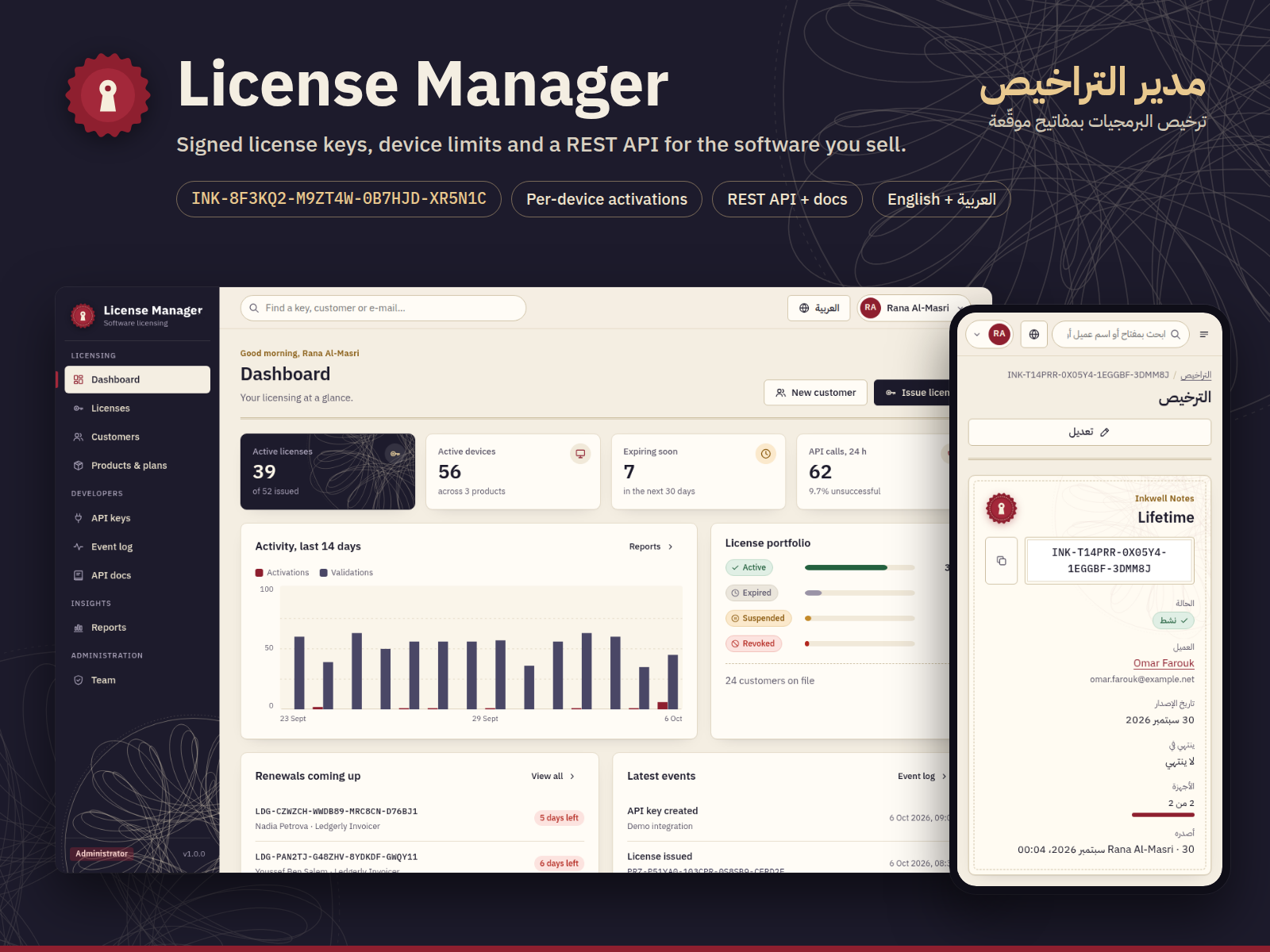
License Manager is a self-hosted web application for developers and small companies who sell software. Issue license keys, control how many devices can use each one, and let your app activate and validate licenses over a simple REST API, all from your own server.
What it does
- Products and plans: every product gets its own key prefix; plans set the device limit and the duration (or perpetual).
- Signed, unguessable keys such as
INK-8F3KQ2-M9ZT4W-0B7HJD-XR5N1C: 80 random bits plus an HMAC signature segment, so forged or mistyped keys are rejected instantly. - Customers and devices: see every key a customer owns, the devices activated on it and their last check-in; release a seat when a customer replaces a computer.
- Lifecycle: expiry dates, suspend and reinstate, permanent revoke with a reason, full history per license.
- REST API for
activate,validateanddeactivate, protected by hashed, scoped API keys and per-key rate limits. Successful answers include an Ed25519-signed certificate your app can verify offline. - Webhook-style event log: every change is recorded as a JSON event and available as a pull feed for your back office to poll (the app sends no outgoing webhooks).
- Built-in API docs with curl, JavaScript and Python examples.
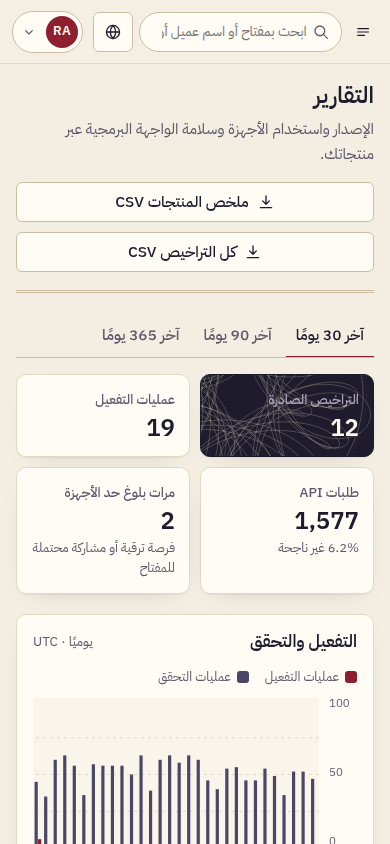
- Reports: activations and validations over time, API results, seat use per product, top customers, renewals coming up, CSV export.
- Two roles: Administrator and Support.
- Bilingual: complete English and Arabic interfaces with a real right-to-left layout.
Built for production
Node.js 22 and SQLite, no external services and no outbound calls. Passwords hashed with scrypt, httpOnly session cookies, CSRF protection, strict Content-Security-Policy, parameterised SQL, server-side validation and an automated test suite. Install with npm install && npm run seed && npm start.
What's included
- Complete product files (ZIP)
Languages
The product files and designs come in these languages.
Features
- Products with their own key prefix and plans with device limits and durations
- Signed, formatted, unguessable license keys (80 random bits + HMAC signature)
- Bulk issuing of up to 50 keys at once
- Customers with search, license history and CSV export
- Per-device activations with limits, last check-in and seat release
- Expiry dates, suspend and reinstate, permanent revoke with a reason
- REST API: activate, validate, deactivate, event feed and public key
- API keys stored hashed, with permission and product scopes
- Per-key rate limiting and blocking of repeated failed API authentication
- Ed25519-signed certificates for offline license checks
- Webhook-style JSON event log with filters and a pull feed (no outgoing webhook calls)
- Built-in API docs with curl, JavaScript and Python examples
- Dashboard and reports: activity charts, API results, seat use, renewals
- Administrator and Support roles; team management
- Complete English and Arabic interfaces with real right-to-left layout
- scrypt password hashing, forced password change for new accounts
- httpOnly sessions, CSRF protection and a strict Content-Security-Policy
- SQLite database, no external services, works offline after install
- Configuration through a .env file
- Automated test suite with Node's built-in test runner (npm test)
Requirements
Node.js 22 LTS or newer with npm. Windows, macOS or Linux on x64 or arm64 (the database driver ships prebuilt binaries; other platforms need Python 3 and a C++ toolchain to compile it). Installation was tested on Linux x64 and Windows x64. About 35 MB of disk space after installation. A modern browser for the admin interface.
Compatibility
Admin interface tested in Chromium at 1440, 1024, 768 and 390 px wide, in English and Arabic; it uses standard HTML and CSS and works in current Chrome, Edge, Firefox and Safari. The REST API works with any language that can send HTTPS requests; the docs include curl, JavaScript and Python examples. Runs behind nginx, Caddy or IIS as a reverse proxy.
Installation
- Install Node.js 22 LTS or newer.
- Unzip
license-manager-1.0.0.zipand open a terminal in thelicense-managerfolder. - Run:
npm install
npm run seed      # demo data; prints the sign-in passwords once
npm start         # http://localhost:4126
- Open http://localhost:4126, sign in as
admin@example.comwith the printed password and choose your own password.
To start without demo data, copy .env.example to .env, edit it, and run npm run init instead of npm run seed. The README covers deployment with systemd and a reverse proxy, backups and every setting.
User guide
1. Products & plans. Create a product with a key prefix (for example INK), then add plans with a device limit and a duration in days (leave it empty for perpetual).
2. Customers. Add the buyer's name and e-mail.
3. Issue a license. Choose the product, plan and customer; optionally override the device limit or expiry, or issue several keys at once. Copy the key and send it to your customer.
4. API keys. Administrators create a key for each application. It is shown only once. Keys that ship inside your software should have only the licenses permission and be limited to one product.
5. Integrate. Your app calls POST /api/v1/licenses/activate on first run, validate on start-up and deactivate when the user moves to another device. The API docs page in the app has request and response details with curl, JavaScript and Python examples.
6. Support work. Search a key or e-mail from the top bar, suspend or reinstate a license, release a device seat and read the license history. Support staff cannot revoke or delete licenses, change products or manage API keys.
7. Event log and reports. Every change is recorded as a JSON event; your back office can poll GET /api/v1/events. Reports show activity, API results, seat use and upcoming renewals, with CSV export.
License
| Personal$99.00 | Commercial$129.00 | Extended$349.00 | |
|---|---|---|---|
| Projects | 1 | 5 | Unlimited |
| Users or sites | 1 | 1 | 5 |
| Commercial use | Not allowed | Allowed | Allowed |
| Modification | Allowed | Allowed | Allowed |
| Resale | Not allowed | Not allowed | Not allowed |
| Redistribution | Not allowed | Not allowed | Not allowed |
| Updates | 12 months | 12 months | Lifetime |
| Support period | 6 months | 12 months | 12 months |
Pay with PayPal or a debit or credit card. We send your product once the payment is confirmed.
Support & Updates
Support through TowerCaty: contact us via the store where you bought License Manager and include your order number, Node.js version, operating system and the console output. Installation help and bug fixes for version 1.x are included.
Changelog
1.0.0
- Version 1.0.0: first release in the store.
Last Updated
- Last update
- Oct 6, 2026
- Version
- 1.0.0