Appointment Booking System
From $59.00
Self-hosted appointment booking in Arabic and English: a public booking page that shows real free times, and a back office with calendar, bookings, customers, staff hours, holidays and reports. Node.js and SQLite.
- Secure payment via PayPal
- Instant digital delivery
- Clear licensing
- Support available
Overview
Appointment Booking System is a ready-to-run app you host yourself. It suits clinics, physiotherapy and wellness studios, salons, consultants and any business that books people by the hour.
Booking page for your customers
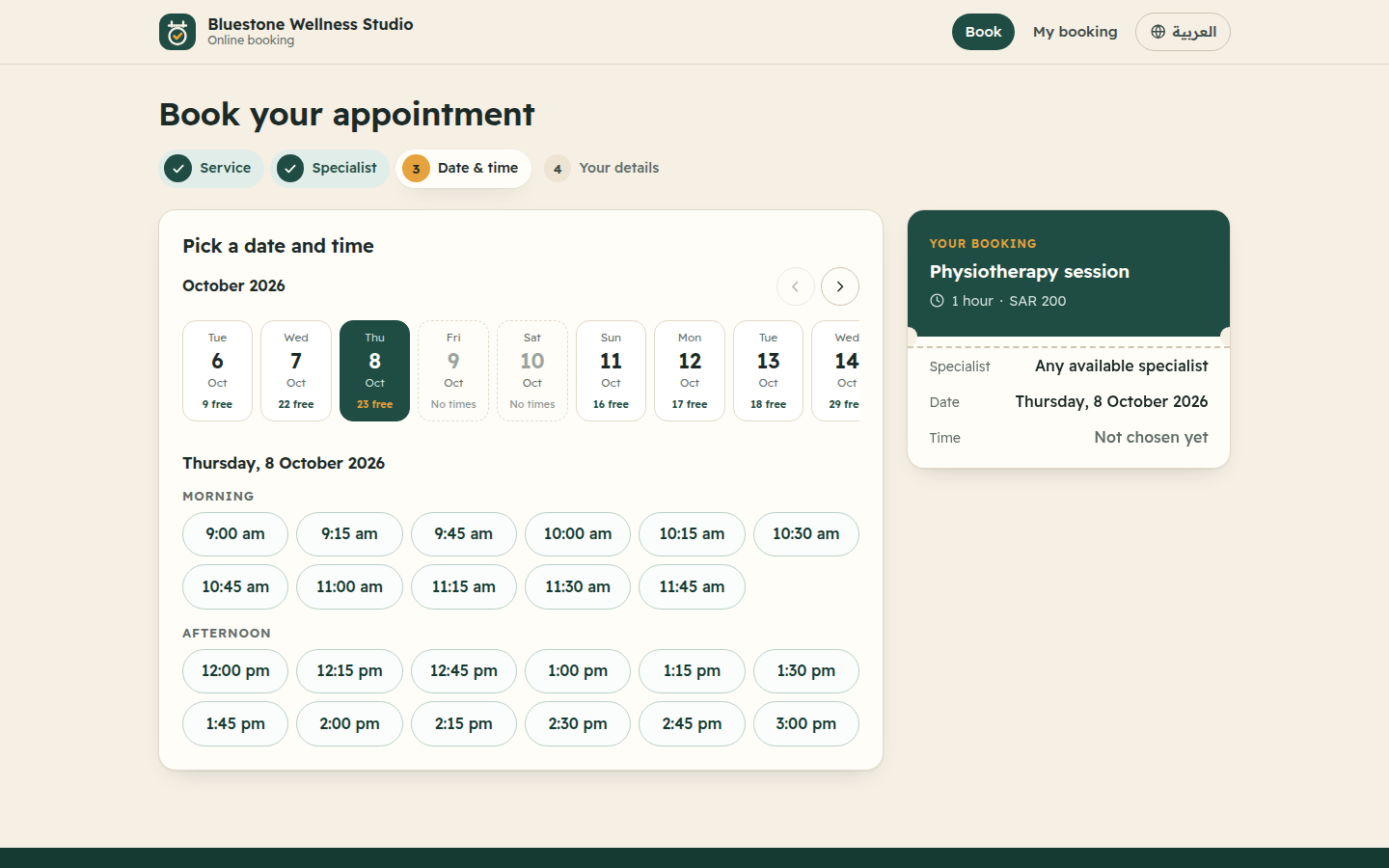
- Customers pick a service, then a specialist or "any available", then a day and a time.
- Free times are calculated from each person's working hours and break, holidays, existing bookings, and the service duration plus buffer.
- A confirmation page shows a reference code such as
BK-7KQ2-M9XDand offers a calendar file. - Customers can cancel online with the code and their phone or e-mail, up to a cut-off you choose.
Back office for your team
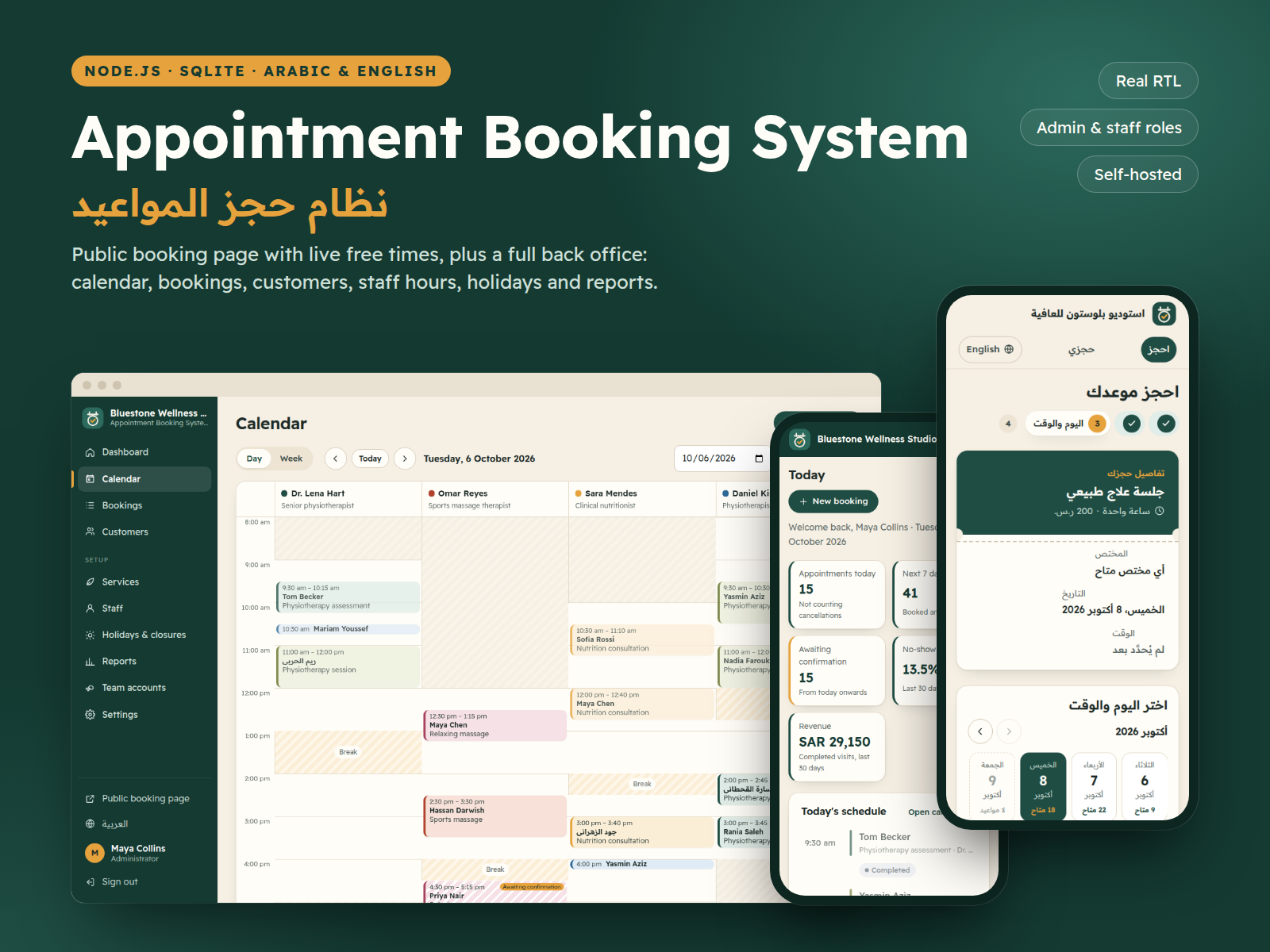
- Dashboard: today's agenda, bookings awaiting confirmation and key figures.
- Calendar: a day view with one column per specialist and a week view per specialist, with breaks and time off shaded.
- Bookings: create, edit, confirm, complete, mark no-shows and cancel, with search, filters and CSV export.
- Customers: a full history for every customer.
- Services and staff: duration, price, colour, who offers what, and weekly working hours.
- Holidays: business closures or personal time off.
- Reports: bookings per service, per staff member and per weekday, with no-show rate, cancellations and revenue.
Two roles
- Administrator: everything.
- Staff: sees only their own bookings and calendar.
Serious about security
- scrypt password hashing.
- httpOnly session cookies and CSRF protection.
- Server-side validation and parameterised SQL.
- Sign-in rate limits and a strict Content-Security-Policy.
- No default passwords: generated passwords must be changed at first sign-in.
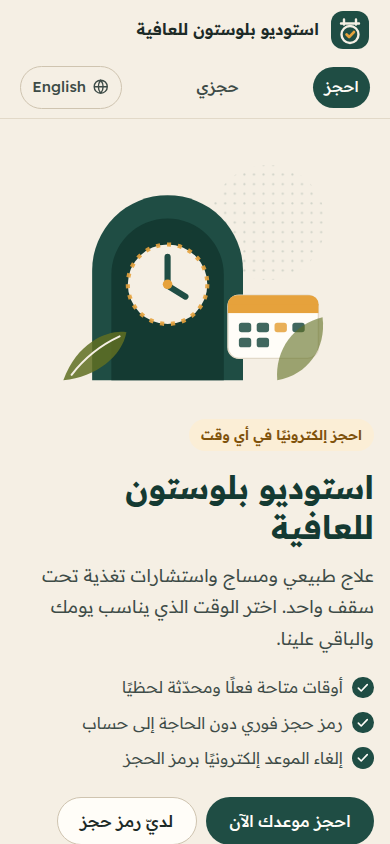
The Arabic interface is true right-to-left with the bundled Readex Pro font, and there is a complete English interface. No external services, no CDN, no tracking. The app does not send e-mail or SMS: customers see their confirmation on screen and can download the calendar file.
What's included
- Complete product files (ZIP)
Languages
The product files and designs come in these languages.
Features
- Four-step public booking page: service, specialist, time, details
- Free times computed from working hours, breaks, holidays, existing bookings and service duration
- "Any available specialist" option that assigns the least busy person
- Confirmation page with a reference code and an .ics calendar file
- Customer self-cancellation by code plus phone or e-mail, with a configurable cut-off
- Back-office calendar: day view for all specialists, week view per specialist
- Full booking management with statuses: pending, confirmed, completed, no-show, cancelled
- Double booking always blocked; administrators can book outside working hours
- Customer records with booking history, search and CSV export
- Bilingual services with duration, buffer time, price and colour
- Weekly working hours per staff member with a daily break
- Business-wide closures and personal time off by date range
- Reports by service, staff and weekday with no-show rate and CSV export
- Administrator and staff roles; staff limited to their own bookings
- True right-to-left Arabic interface and a complete English interface
- Responsive on desktop, tablet and mobile
- scrypt passwords, CSRF protection, sign-in rate limiting and strict security headers
- Business settings: time zone, currency, booking notice, horizon, cancellation cut-off, auto-confirm
- Demo data seed and automated tests (npm test)
Requirements
Node.js 22.12 or newer with npm. SQLite is built in and stored in a single file; no database server or external services needed.
Compatibility
Built for Windows, macOS and Linux (x64 and arm64): the SQLite driver ships prebuilt binaries for these, so no compiler is needed. Installation was tested on Linux x64 and Windows x64. The interface uses standard HTML and CSS for current browsers and was tested in Chromium at desktop, tablet and mobile sizes.
Installation
- Unzip and open the
appointment-booking-systemfolder. - Install dependencies:
npm install - (Optional) Copy
.env.exampleto.envand adjust the settings. - Create the database with demo data:
npm run seed. Note the passwords it prints once. - Start the app:
npm start, then open http://localhost:4121
To start with an empty database for real use: npm run seed -- --reset --empty. The README covers deploying behind HTTPS and backups.
User guide
- Sign in at
/login. You will be asked to choose a new password the first time. - Set up: under Settings, enter your business name, address, time zone, currency and booking rules. Then add your Services, your Staff and each person's working hours, and create Team accounts.
- Phone bookings: Bookings → New booking. The form suggests the free times for the chosen person and day.
- Run the day: confirm bookings and record completed visits or no-shows from the Dashboard and the Calendar.
- Holidays: add a closure or personal time off, and those days disappear from the booking page automatically.
- Reports: pick a period to see bookings per service and staff and the no-show rate, then export them as CSV.
- Customize: colours are at the top of
public/css/app.cssand texts are insrc/i18n. The README has the details.
License
| Personal$59.00 | Commercial$79.00 | Extended$249.00 | |
|---|---|---|---|
| Projects | 1 | 5 | Unlimited |
| Users or sites | 1 | 1 | 5 |
| Commercial use | Not allowed | Allowed | Allowed |
| Modification | Allowed | Allowed | Allowed |
| Resale | Not allowed | Not allowed | Not allowed |
| Redistribution | Not allowed | Not allowed | Not allowed |
| Updates | 12 months | 12 months | Lifetime |
| Support period | 6 months | 12 months | 12 months |
Pay with PayPal or a debit or credit card. We send your product once the payment is confirmed.
Support & Updates
Support is available to customers through the TowerCaty store. Include your order number, Node.js version, operating system and a description of the issue.
Changelog
1.0.0
- Version 1.0.0: first release in the store.
Last Updated
- Last update
- Oct 6, 2026
- Version
- 1.0.0