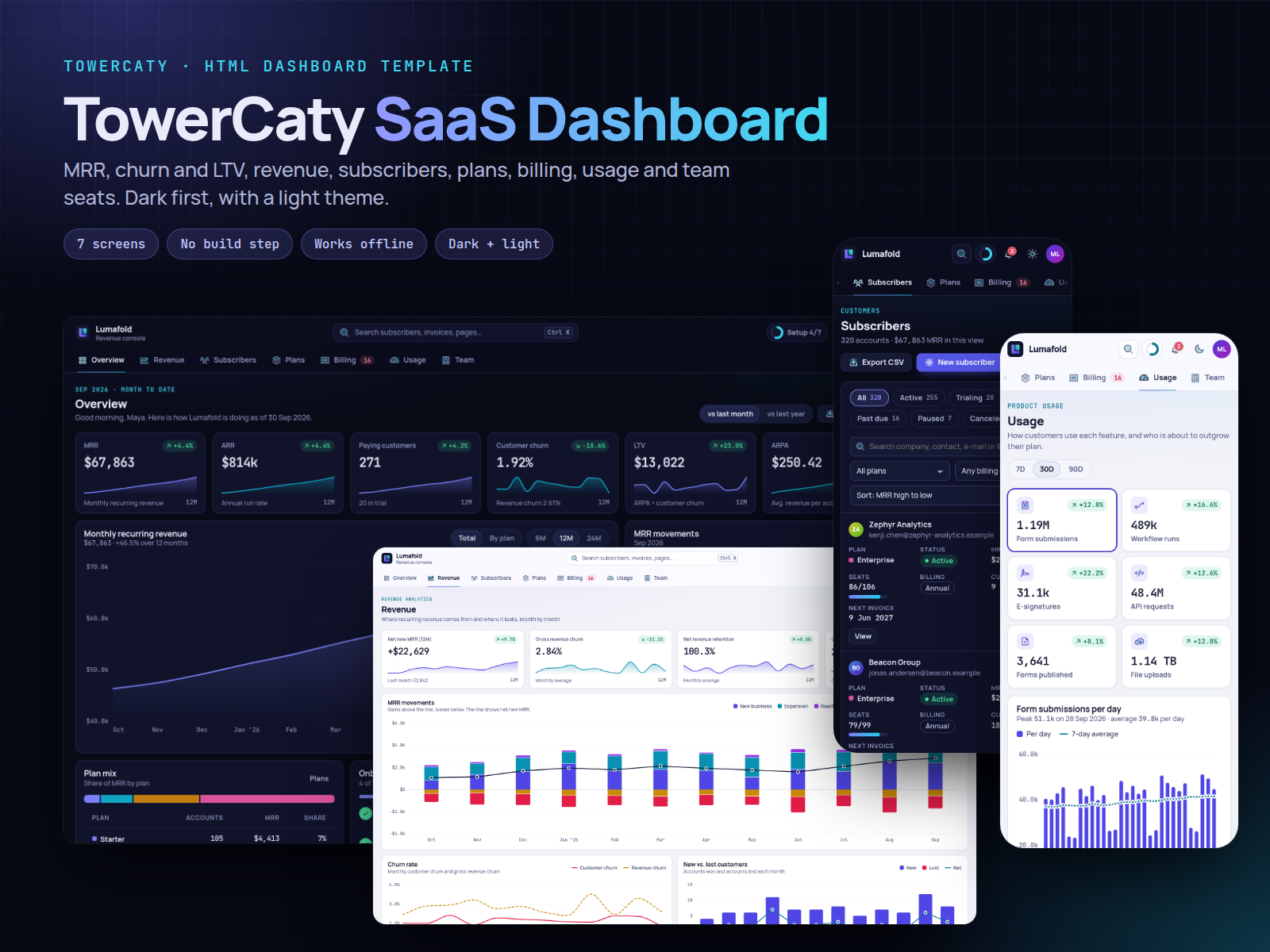
TowerCaty SaaS Dashboard
From $49.00
A dark-first SaaS admin template in plain HTML, CSS and JavaScript: MRR, ARR, churn and LTV with sparklines, revenue charts, subscribers, plans, billing and invoices, usage per feature and team seats. Includes a light theme, no build step and offline use.
- Secure payment via PayPal
- Instant digital delivery
- Clear licensing
- Support available
Overview
TowerCaty SaaS Dashboard is a back-office template for subscription businesses. It shows the numbers that matter to a SaaS team (MRR, ARR, churn, LTV and ARPA) and the tools to act on them: subscribers, plans, invoices, failed payments, usage and seats.
The template is built with plain HTML, CSS and vanilla JavaScript. There is nothing to compile: open index.html and it runs, even offline.
Seven working screens:
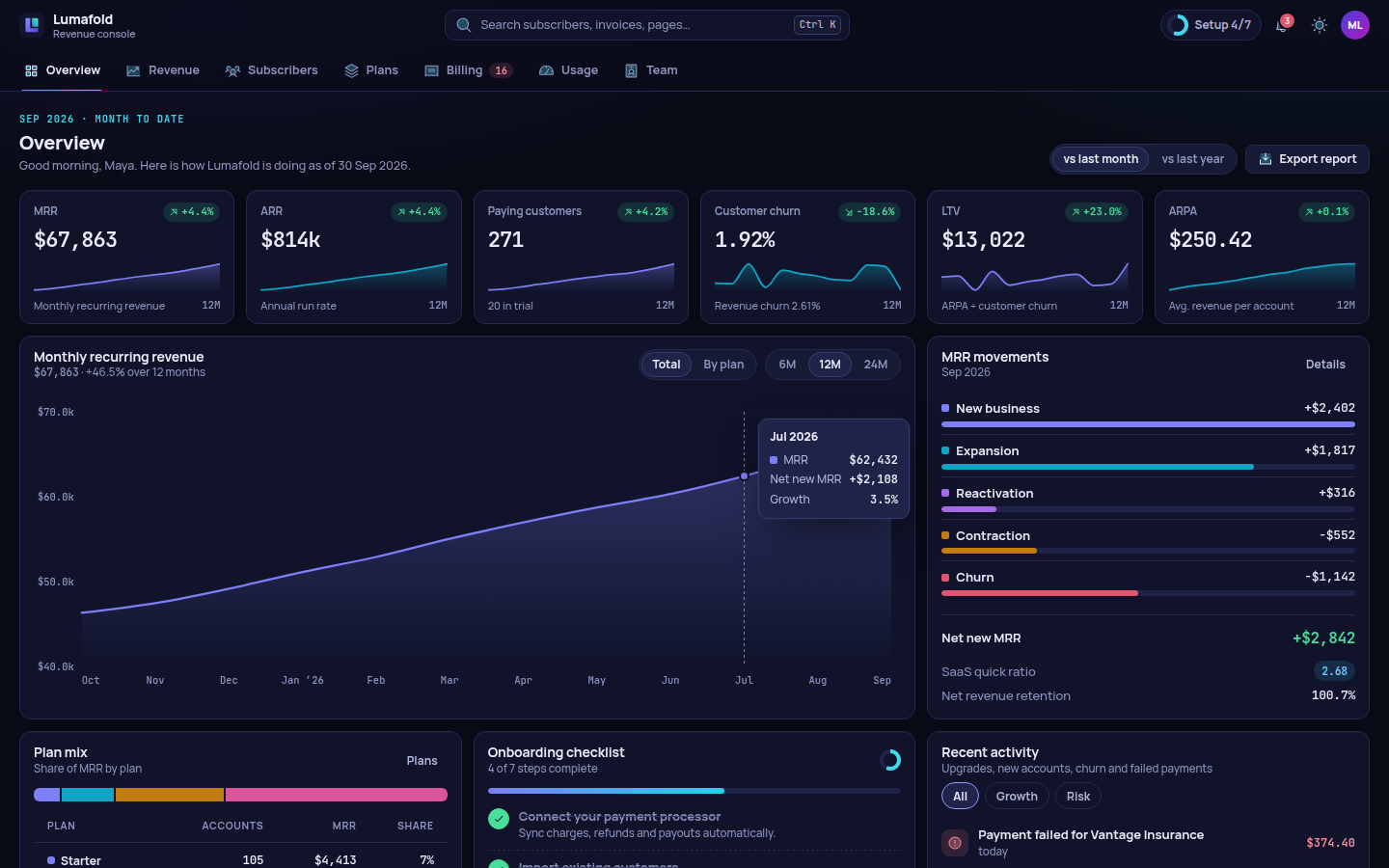
- Overview: KPI tiles with sparklines and month-over-month or year-over-year deltas, and an MRR chart (total or stacked by plan, 6/12/24 months). Also MRR movements, plan mix, an onboarding checklist, an activity feed, past-due accounts and trials that end soon.
- Revenue: a chart of new, expansion, reactivation, contraction and churn MRR with a net line, churn trends, new vs. lost customers and a sortable monthly table.
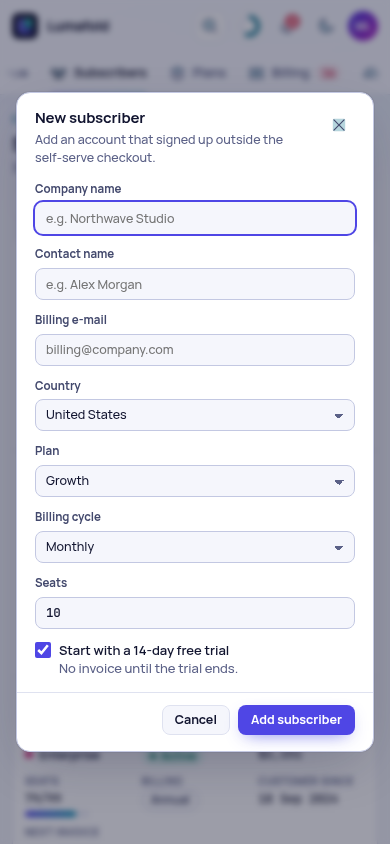
- Subscribers: status pills, search, filters, sorting, pagination and a detail drawer. From the drawer you can change the plan (with a live price preview), pause, cancel with a reason, reactivate and add notes.
- Plans: price cards with a monthly/annual toggle and an edit dialog, a feature matrix, add-ons and coupons.
- Billing: invoices with a printable preview, mark as paid, refunds and voiding, a failed-payment recovery queue and payouts.
- Usage: per-feature totals, a daily chart, adoption by plan, an activity heatmap and the accounts near their plan limits.
- Team: a seat map, seat purchase, roles, invitations and two-factor coverage.
Its own look. The design is dark first, with a light theme. A top tab bar replaces the sidebar. Indigo and cyan accents, pill tags, compact density and monospaced numbers keep large figures easy to scan. The charts are dependency-free SVG with crosshair tooltips, and you can read them with the keyboard.
Realistic sample data covers a fictional forms-and-workflow SaaS: 320 subscribers, about 1,000 invoices, 24 months of MRR history and 90 days of usage. Every action works and is saved in the browser.
This is a front-end template with no server: it processes no payments and sends no e-mails, reminders, invitations or notifications. Refunds, payment retries and the notification centre work on sample data, and forms save to the browser only. The README explains how to connect your own API.
What's included
- Complete product files (ZIP)
Languages
The product description and details are provided in these languages.
Features
- 7 complete screens: overview, revenue, subscribers, plans, billing, usage and team, plus a 404 page
- MRR, ARR, paying customers, churn, LTV and ARPA tiles with sparklines and MoM/YoY deltas
- MRR chart with 6/12/24-month ranges and a stacked by-plan view with toggleable legend
- MRR movements chart: new, expansion, reactivation, contraction and churn with net line
- Subscribers table with status pills, search, filters, sorting, pagination and CSV export
- Subscriber drawer: change plan with live price preview, pause, cancel, reactivate, notes
- Plans with monthly/annual pricing, edit dialog, feature matrix, add-ons and coupons
- Invoices with printable preview, mark as paid, partial or full refunds and voiding (simulated on sample data)
- Failed-payment recovery queue with retry, reminder and automatic-retry controls (simulated; no real payments or e-mails)
- Usage per feature, adoption by plan, activity heatmap and accounts near plan limits
- Team seats, role editing, invitations checked against free seats, 2FA coverage
- Command palette (Ctrl/Cmd K), notification centre with sample data, setup checklist and undo toasts
- Dark-first design with a light theme, top tab navigation and compact density
- Dependency-free SVG charts with tooltips and keyboard access
- Responsive from 390px phones to wide desktops; tables become cards on phones
- Accessible: landmarks, labelled forms, visible focus, WCAG AA contrast (checked with axe-core)
- No build step, no CDN: open index.html and it works offline
- Bundled fonts and icons with commercial-friendly licenses (SIL OFL 1.1, MIT)
Requirements
Any modern browser (current Chrome, Edge, Firefox or Safari). No build tools, frameworks or server code required; a text editor to customize. Optional: any static web server, e.g. Python 3 for local preview.
Compatibility
Chrome/Edge 105+, Firefox 110+, Safari 16+, on desktop, tablet and mobile. Responsive from 390px phones to 1440px+ desktops. Deploys to any static host (Netlify, Vercel, Cloudflare Pages, GitHub Pages, S3, Nginx, Apache). English interface.
Installation
- Download and unzip
towercaty-saas-dashboard-1.0.0.zip. - Open
towercaty-saas-dashboard/index.htmlin your browser. That's it. - Optional local server: inside the folder, run
python3 -m http.server 4112and openhttp://localhost:4112/. - To publish, upload the folder to any static host. README.md explains the 404 setup.
User guide
- Brand and defaults: edit
assets/js/config.js(brand, user, currency, default theme, tab menu). - Colors: change the CSS variables at the top of
assets/css/app.css(dark and light blocks, chart series). - Theme: use the sun/moon button in the top bar. The choice is remembered.
- Search: press Ctrl/Cmd K or
/to find pages, subscribers, invoices and actions. Press?to list all shortcuts. - Sample data:
assets/js/data.js. To restore the original data, choose Reset demo data in the account menu. - Your backend: replace
SD.seedData()and add API calls next to eachSD.save()(see README.md). - Charts: hover or focus a chart and use the arrow keys to read values.
License
| Personal$49.00 | Commercial$59.00 | Extended$249.00 | |
|---|---|---|---|
| Projects | 1 | 5 | Unlimited |
| Users or sites | 1 | 1 | 5 |
| Commercial use | Not allowed | Allowed | Allowed |
| Modification | Allowed | Allowed | Allowed |
| Resale | Not allowed | Not allowed | Not allowed |
| Redistribution | Not allowed | Not allowed | Not allowed |
| Updates | 12 months | 12 months | Lifetime |
| Support period | 6 months | 12 months | 12 months |
| License key | Yes | Yes | Yes |
Pay with PayPal or a debit or credit card. We send your product once the payment is confirmed.
Support & Updates
Support is provided through the TowerCaty store: contact us with your order number. The package includes a README with setup, customization and deployment guides, and a changelog.
Changelog
1.0.0
- Version 1.0.0: first release in the store.
Last Updated
- Last update
- Oct 6, 2026
- Version
- 1.0.0