Project Management Dashboard
From $39.00
A warm, light project management dashboard in plain HTML, CSS and JavaScript: portfolio overview, Gantt timeline with drag-to-reschedule, Kanban board, task list with filters, team workload heatmap, milestones, files and project settings. No build step, works offline.
- Secure payment via PayPal
- Instant digital delivery
- Clear licensing
- Support available
Overview
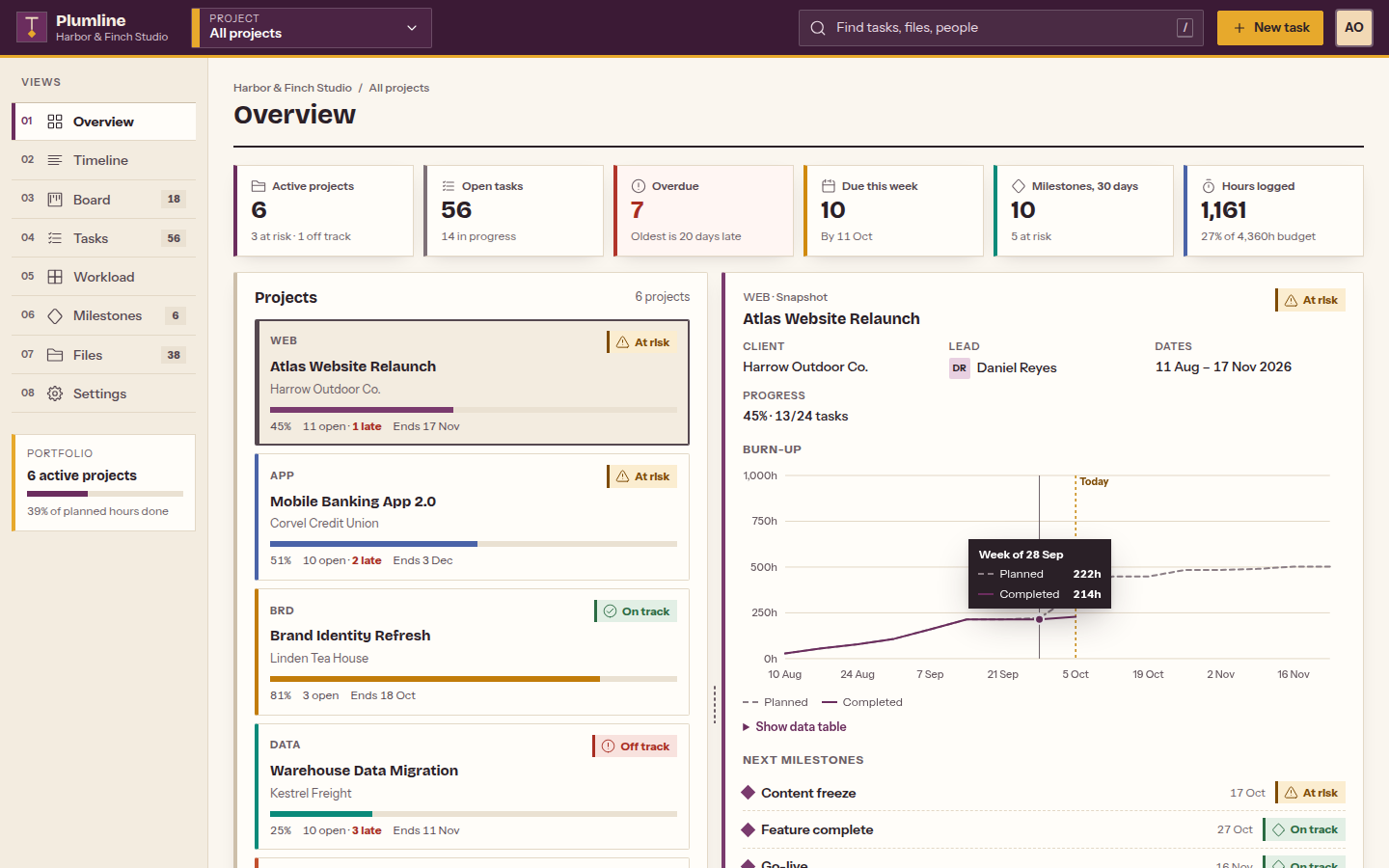
Project Management Dashboard is a front-end template for agencies, studios and delivery teams that run several client projects at once. A project switcher in the header moves between the whole portfolio and any single project, and every view follows it.
It is built with plain HTML, CSS and vanilla JavaScript. There is nothing to compile: open index.html and it runs from your disk or any static host, even offline.
Eight working screens:
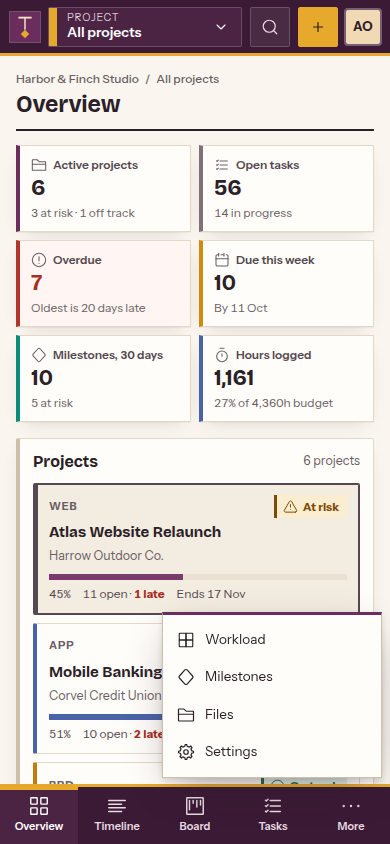
- Overview: portfolio KPIs, project cards with a snapshot pane (burn-up chart and next milestones), weekly throughput by project, a due-soon list and recent activity. Pick a project to see its own progress, phases, burn-up and status breakdown.
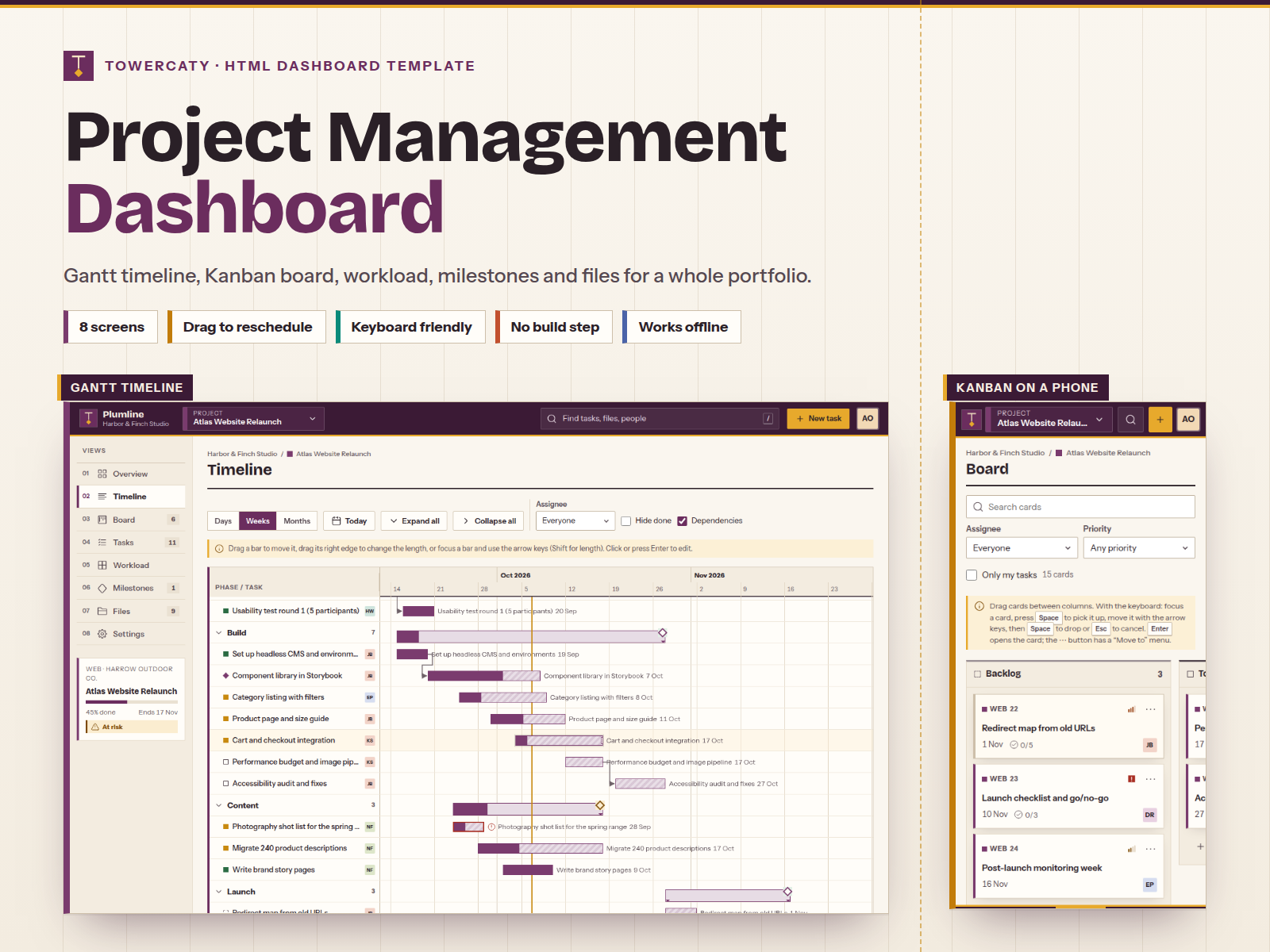
- Timeline (Gantt): projects, phases and tasks with day, week and month zoom, dependency arrows that turn red on conflicts, milestone diamonds and a today line. Drag bars to reschedule or resize them, with undo, or use the arrow keys.
- Board (Kanban): five columns with WIP limits, quick add and filters. Move cards by drag and drop, long press on touch screens, the keyboard or a Move to menu.
- Tasks: a sortable, paged table with search, status chips and filters for assignee, priority and due date, plus bulk actions, CSV export, a detail pane and a full editor with checklist, comments and hours.
- Workload: a heatmap of planned hours against capacity for each person, by week or by day. Pick a cell to see the tasks behind it and hand work to someone with free time.
- Milestones: a track per project and a month-by-month list. Each milestone's status is worked out from its linked tasks.
- Files: folders, grid and list views, type filter and sort, drag-and-drop upload (metadata only), stars, rename, move and versions.
- Settings: general details, members and roles, workflow (WIP limits and phases), notification preferences and archive, plus new projects.
Built to be used: keyboard shortcuts (/, N, P and ?), undo for every change, form validation, designed empty states, a 404 page, and changes saved in the browser so the demo feels real.
Accessible: built to WCAG 2.1 AA and checked with axe-core on every page, with a keyboard alternative to every drag, visible focus, screen reader announcements, data tables behind the charts and reduced-motion support.
Front-end only: the sample data (6 projects, 12 people, 96 tasks, 27 milestones and 38 files) is generated in the browser and saved to localStorage. Forms save to the browser only and nothing is sent: notification settings are preferences only, and uploads keep the file details, not the files. Connect your own API by replacing one function; the README shows where changes are saved.
The interface is in English.
What's included
- Complete product files (ZIP)
Languages
The product description and details are provided in these languages.
Features
- 8 working screens: overview, Gantt timeline, Kanban board, task list, workload heatmap, milestones, files and project settings, plus a 404 page
- Project switcher in the header: move between the whole portfolio and any single project, and every view follows
- Gantt timeline with day, week and month zoom, phases, milestone diamonds, dependency arrows and a today line
- Drag Gantt bars to reschedule or resize them, with undo; the arrow keys do the same from the keyboard
- Kanban board with five columns, WIP limits, quick add, filters and a Done column that keeps recent work
- Move cards by drag and drop, touch long press, a keyboard pick-up mode or a Move to menu
- Task list with search, status chips, assignee, priority and due-date filters, sorting and paging
- Bulk status change, reassign and delete, and CSV export of the filtered task list
- Task editor with phase, milestone, dates, estimate, hours spent, a checklist and comments
- Team workload heatmap by week or by day, in percent or hours, with an over-capacity filter
- Hand tasks from an overloaded person to someone with free time, right from the workload pane, with undo
- Milestone track per project and a month-by-month list, with status worked out from linked tasks
- File library with folders, grid and list views, drag-and-drop upload (file details only), stars, versions, rename and move
- Project settings: general details, members and roles, WIP limits, phases, notification preferences (nothing is sent) and archive
- Burn-up and weekly throughput charts in dependency-free SVG with tooltips and data tables
- Quick find (/) across tasks, projects, milestones, files and people, plus N, P and ? shortcuts
- Undo for moves, edits and deletions; changes are saved in the browser
- Realistic sample data: 6 projects, 12 people, 96 tasks, 27 milestones and 38 files that stay current
- Warm paper theme in amber and plum with square cards, coloured project edges and split-pane layouts
- Responsive from 390 px phones to wide desktops, with a bottom tab bar on phones
- Accessible: landmarks, labelled fields, visible focus, live announcements, checked with axe-core
- Plain HTML, CSS and vanilla JavaScript: no build step and no frameworks; opens from index.html
- Works offline: fonts and icons are bundled, with no CDN or external requests
- Easy to rebrand: one config file and CSS colour tokens; the README covers fonts, icons, images, data and deployment
Requirements
Any modern browser (current Chrome, Edge, Firefox or Safari). No build tools, frameworks or server code required; a text editor to customize. Optional: any static web server, for example Python 3, for local preview.
Compatibility
Chrome and Edge 111+, Firefox 121+, Safari 16.2+, on desktop, tablet and phone. Responsive from 390 px phones to 1440 px and wider desktops. Opens from file:// and deploys to any static host (Netlify, Vercel, Cloudflare Pages, GitHub Pages, S3, Nginx, Apache). English interface. Front-end only: data is saved in the browser.
Installation
- Download and unzip
project-management-dashboard-1.0.0.zip. - Open
project-management-dashboard/index.htmlin your browser. That's it. - Optional local server: inside the folder, run
python3 -m http.server 4114and openhttp://localhost:4114/. - To publish, upload the folder to any static host. README.md explains the 404 setup.
User guide
- Switch project: use the switcher in the header or press
P. Choose All projects for the portfolio view. - Reschedule: on the Timeline, drag a bar or its right edge, or focus a bar and use the arrow keys (Shift to resize). Undo sits in the confirmation toast.
- Move cards: drag them on the Board, long-press on touch screens, or focus a card and press Space, the arrow keys, then Space again. Every card also has a Move to menu.
- Find anything: press
/. PressNfor a new task and?for all shortcuts. - Branding: edit
assets/js/config.js(name, workspace, user, statuses, project colours, navigation) and the CSS tokens at the top ofassets/css/app.css. - Sample data:
assets/js/data.js. Choose Reset demo data in the account menu to start over. - Your backend: replace
PL.seedData()and send changes fromPL.store.save()(see README.md).
License
| Personal$39.00 | Commercial$49.00 | Extended$199.00 | |
|---|---|---|---|
| Projects | 1 | 5 | Unlimited |
| Users or sites | 1 | 1 | 5 |
| Commercial use | Not allowed | Allowed | Allowed |
| Modification | Allowed | Allowed | Allowed |
| Resale | Not allowed | Not allowed | Not allowed |
| Redistribution | Not allowed | Not allowed | Not allowed |
| Updates | 12 months | 12 months | Lifetime |
| Support period | 6 months | 12 months | 12 months |
| License key | Yes | Yes | Yes |
Pay with PayPal or a debit or credit card. We send your product once the payment is confirmed.
Support & Updates
Support is provided through the TowerCaty store: contact us with your order number. The package includes a README with setup, customization, data connection and deployment guides, and a changelog.
Changelog
1.0.0
- Version 1.0.0: first release in the store.
Last Updated
- Last update
- Oct 6, 2026
- Version
- 1.0.0