
Professional Invoice Templates for Small Business
$12.99
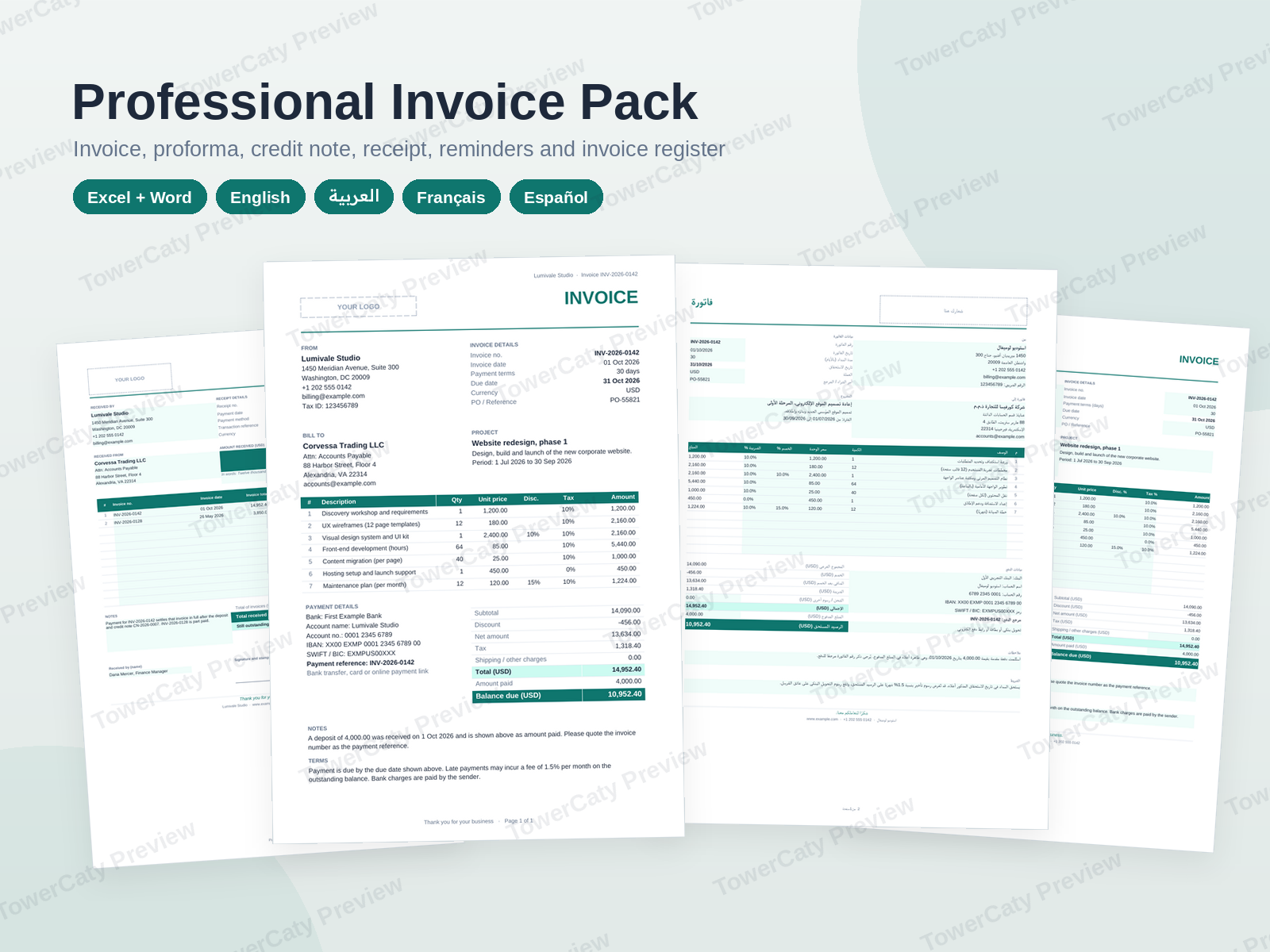
A professional invoice template for small business, with everything around it: proforma, credit note, payment receipt, three reminder letters and an invoice register with status tracking, in Excel and Word. Every file in English, Arabic (right-to-left), French and Spanish.
- Secure payment via PayPal
- Instant digital delivery
- Clear licensing
- Support available
Overview
Professional Invoice Templates for Small Business gives you a professional invoice template for small business in Excel and Word, plus the editable billing documents that go with it, for freelancers, agencies and small teams. The files work together: quote with a proforma, bill with the invoice, correct it with a credit note, confirm payment with a receipt, follow up late payers with the reminder letters and keep track of everything in the invoice register.
What is in the ZIP (per language)
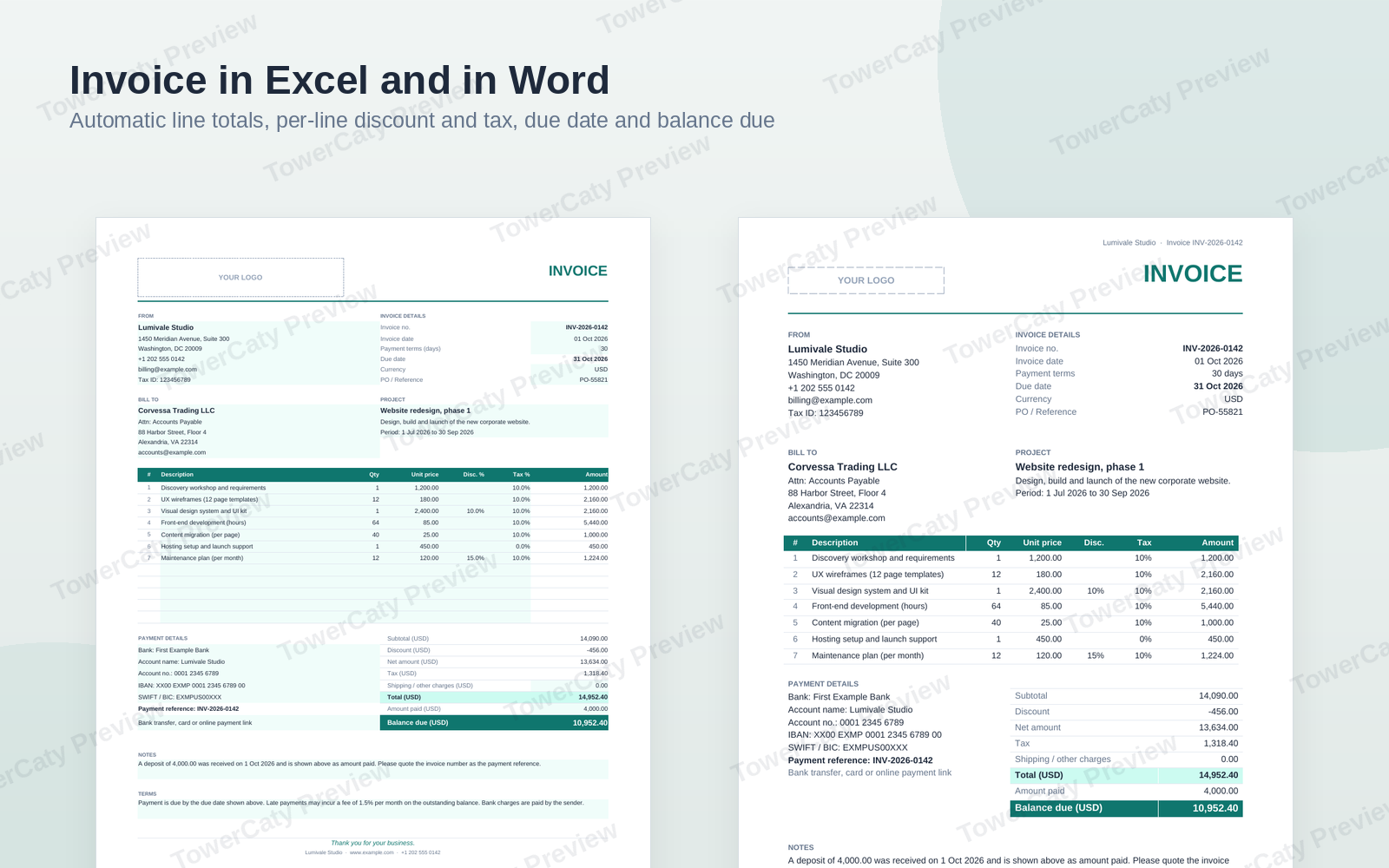
- 01-Invoice.xlsx (Excel): up to 12 line items with quantity × unit price, per-line discount % and tax %, subtotal, discount, tax, shipping, total, amount paid and balance due. Due date = invoice date + payment terms. A currency code cell, bank details, notes and terms.
- 02-Invoice.docx (Word): the same invoice as an editable Word document.
- 03-Proforma-Invoice.xlsx (Excel): valid-until date, deposit % and deposit amount, balance on delivery.
- 04-Credit-Note.xlsx (Excel): references the original invoice number and date; credited amounts and totals are shown as negative, with the adjusted invoice total.
- 05-Payment-Receipt.xlsx (Excel): one payment applied to up to 12 invoices, remaining balance per invoice, payment-method list and signature line.
- 06-Payment-Reminders.docx (Word): friendly reminder, second notice and final notice letters with shaded fields to change, plus short email and text-message versions.
- 07-Invoice-Register.xlsx (Excel): 200 ready rows; due date, total, balance, status (Paid, Partial, Unpaid, Overdue) and days overdue by formula; a Summary sheet with totals per status, ageing (1–30, 31–60, 61–90, 90+ days), invoiced vs collected per month and two native charts.
Four languages
English/, Arabic/, French/ and Spanish/ folders hold the same seven files, each written for its readers (TVA in French, IVA in Spanish). The Arabic files use right-to-left sheets and documents with mirrored layouts and Western digits.
Built to be used
- Real formulas; input cells are shaded and formula cells are locked with sheet protection without a password.
- Every workbook has a How to use sheet. Print areas are set for A4, with Letter instructions in the README.
- Arial only, so nothing needs installing. One teal accent colour, easy to change. A "YOUR LOGO" placeholder in every document.
- Plain .xlsx and .docx, no macros.
Also included
- One preview PDF per language with every page of every file.
- README in English and Arabic (editing, logo and colours, formulas, printing, compatibility notes), licence and changelog.
All company names, people, addresses and bank details are fictional samples to replace with your own. The templates are not tax or legal advice; check the invoicing rules of your country.
What's included
- Complete product files (ZIP)
Languages
The product files and designs come in these languages.
Features
- 7 editable files per language: 5 Excel workbooks and 2 Word documents
- Four languages: English, Arabic (right-to-left), French and Spanish
- Invoice in Excel with automatic line amounts, discount, tax, total and balance due
- Per-line discount % and tax %, so mixed and zero tax rates calculate correctly
- Due date calculated from invoice date + payment terms
- Currency code cell shown next to every total
- The same invoice as an editable Word document
- Proforma invoice with valid-until date and deposit calculation
- Credit note linked to the original invoice, with negative totals and adjusted total
- Payment receipt that applies one payment to several invoices
- Friendly reminder, second notice and final notice letters with shaded fields
- Short email and text-message versions of each reminder
- Invoice register with 200 ready rows and formula status: Paid, Partial, Unpaid, Overdue
- Days overdue and ageing buckets (1–30, 31–60, 61–90, 90+ days)
- Summary sheet with totals per status, monthly invoiced vs collected and two native charts
- Input cells shaded, formulas locked with protection without a password
- How to use sheet inside every workbook
- A4 print areas set, with US Letter instructions
- Arial only, one accent colour, YOUR LOGO placeholder
- Arabic files with RTL sheets, RTL Word paragraphs and tables, Western digits
- One preview PDF per language showing every page
- No macros: plain .xlsx and .docx files
Requirements
Microsoft Excel and Word 2016 or later, Microsoft 365 (Windows or Mac), or LibreOffice 7 or later. The files can also be uploaded to Google Drive and opened with Google Sheets and Google Docs (see the compatibility notes). A PDF viewer for the preview files. No software is included in the package.
Compatibility
Excel workbooks (.xlsx, no macros) and Word documents (.docx): Microsoft Excel and Word 2016 or later and Microsoft 365, LibreOffice 7 or later, Google Sheets and Google Docs after upload (charts and page layout may look slightly different there). Font: Arial. Page size: A4, switchable to US Letter.
Installation
- Download
professional-invoice-pack-1.0.0.zipand unzip it. - Open the folder for your language:
English/,Arabic/,French/orSpanish/. - Open a file in Excel or Word (or LibreOffice) and save a copy under your own name before editing.
- Look at
Preview/to see every page before you start. - Read
README.mdfor editing, logo, colour and printing tips.
User guide
- Fill in: type over the shaded cells; everything else is calculated.
- Change the layout: Review > Unprotect Sheet (no password), then protect again.
- Logo: replace the YOUR LOGO box with your own image (Insert > Pictures).
- Colour: the single teal accent (#0F766E) is used for titles, table headers and totals; in Word change the Heading styles and the TC Table style.
- Numbering: number invoices in sequence and record each one in the Invoice Register.
- Credit notes: enter credited quantities and prices as positive; the sheet shows them as negative.
- Reminders: change the shaded fields, then remove the shading before sending (Borders and Shading > Shading > No Color).
- Print / PDF: print areas are set for A4; for Letter use Page Layout > Size > Letter.
License
| Commercial$12.99 | |
|---|---|
| Projects | 5 |
| Users or sites | 1 |
| Commercial use | Allowed |
| Modification | Allowed |
| Resale | Not allowed |
| Redistribution | Not allowed |
| Updates | 12 months |
| Support period | 12 months |
Pay with PayPal or a debit or credit card. We send your product once the payment is confirmed.
Support & Updates
Support is provided at hello@towercaty.com. Please mention the product name and version (Professional Invoice Pack 1.0.0), the file and the app you are using, and a short description or screenshot of the issue.
Changelog
1.0.0
- Version 1.0.0: first release in the store.
Last Updated
- Last update
- Oct 8, 2026
- Version
- 1.0.0