Free Quotation Template
Free
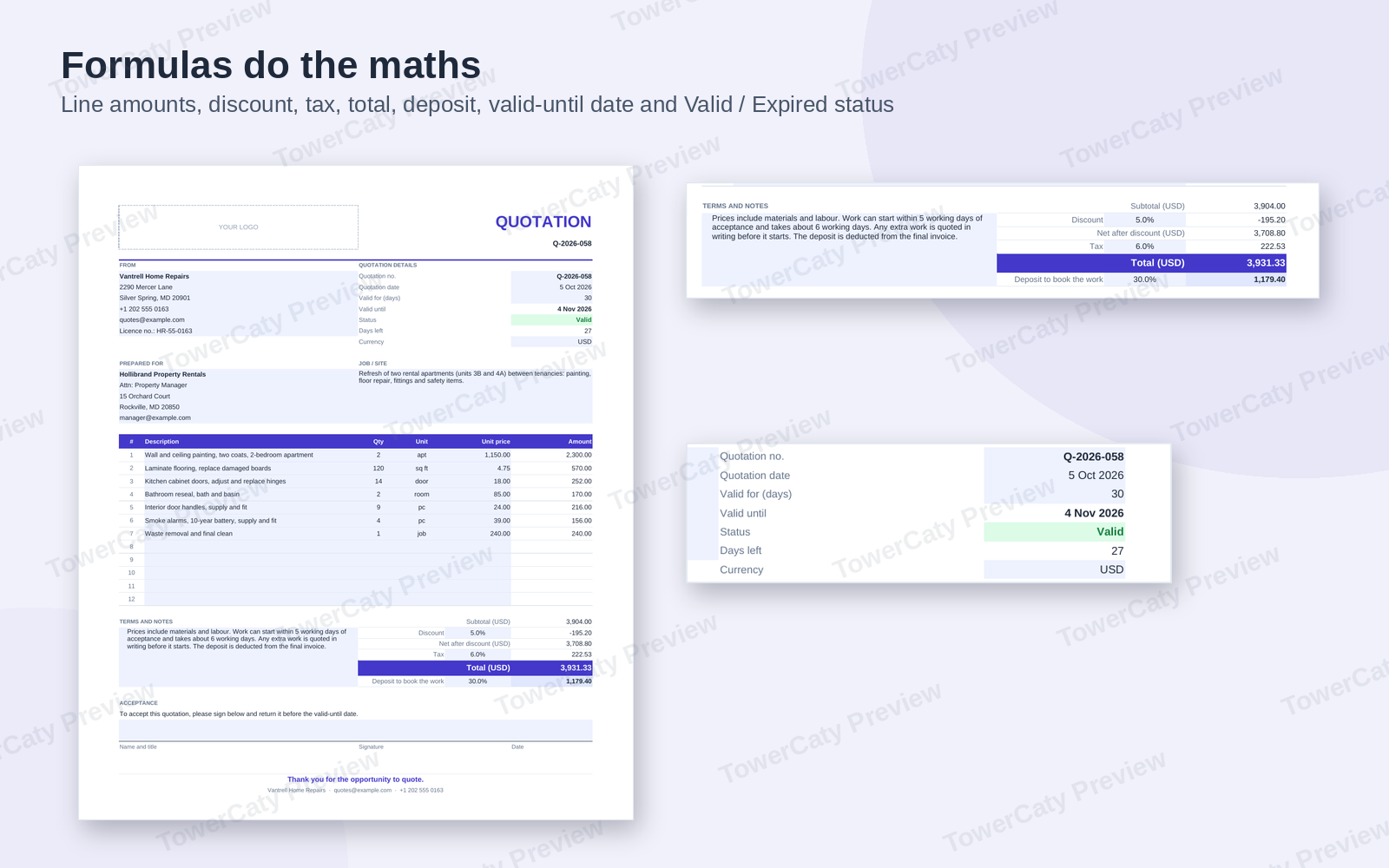
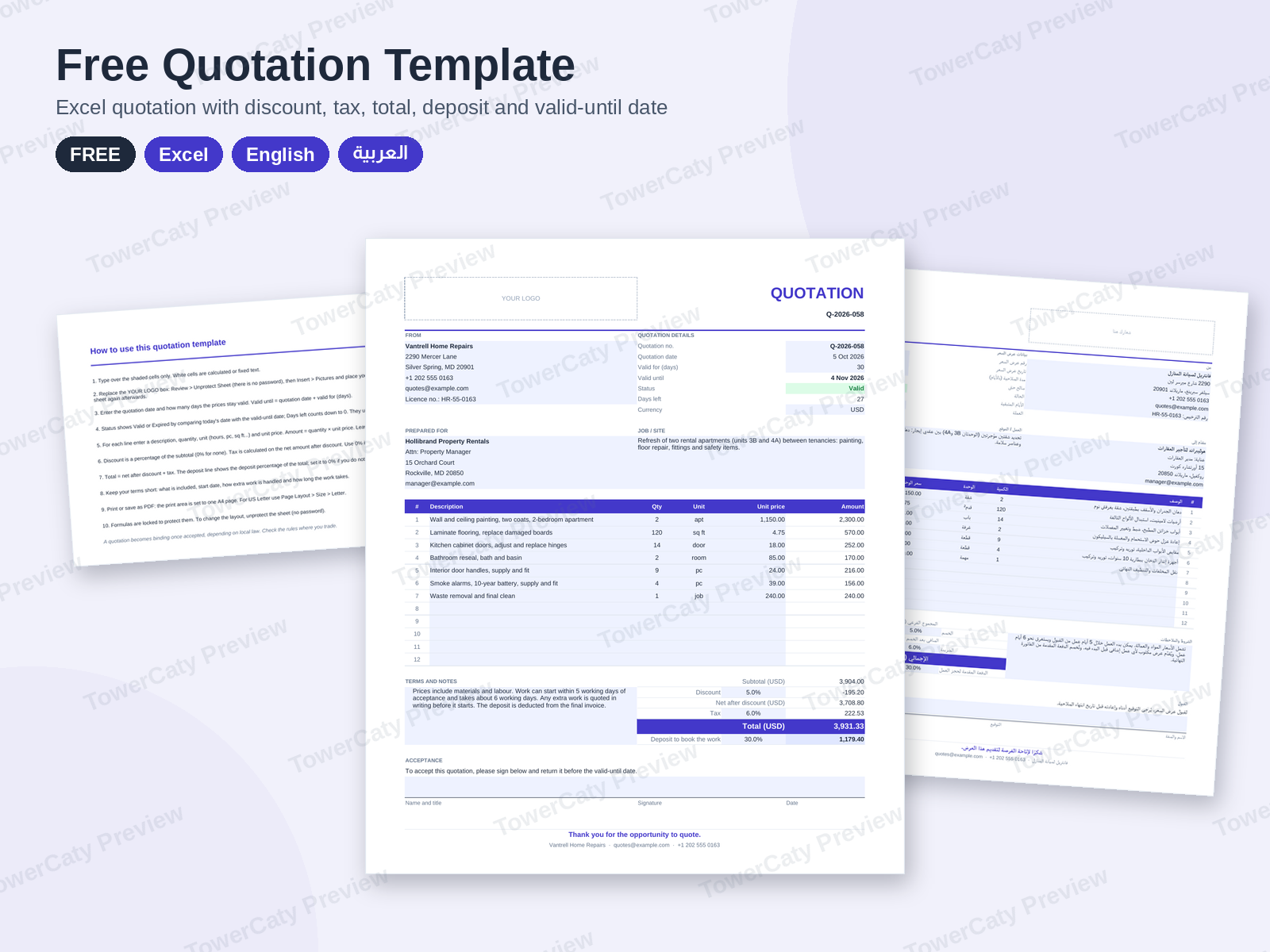
A free quotation template for Excel that does the maths: line items, discount, tax, total, deposit and a valid-until date with a Valid or Expired status. In English and Arabic (right-to-left).
- Secure payment via PayPal
- Instant digital delivery
- Clear licensing
- Support available
Overview
This free quotation template for Excel helps you send a clear, professional price quote in minutes. Type your items, and the workbook calculates the totals and tells you how long the quote stays valid.
What is in the ZIP (per language)
- 01-Quotation-Template.xlsx (Excel), one page:
- seller and client blocks, a job / site description and a "YOUR LOGO" placeholder;
- quotation number, quotation date and "valid for" days, with the valid-until date, a Valid / Expired status and days left calculated;
- 12 line items with quantity, unit and unit price; amounts calculated;
- subtotal, discount %, net after discount, tax %, total and a deposit % to book the work;
- terms and notes, and an acceptance block with name, signature and date lines;
- a How to use sheet.
English and Arabic
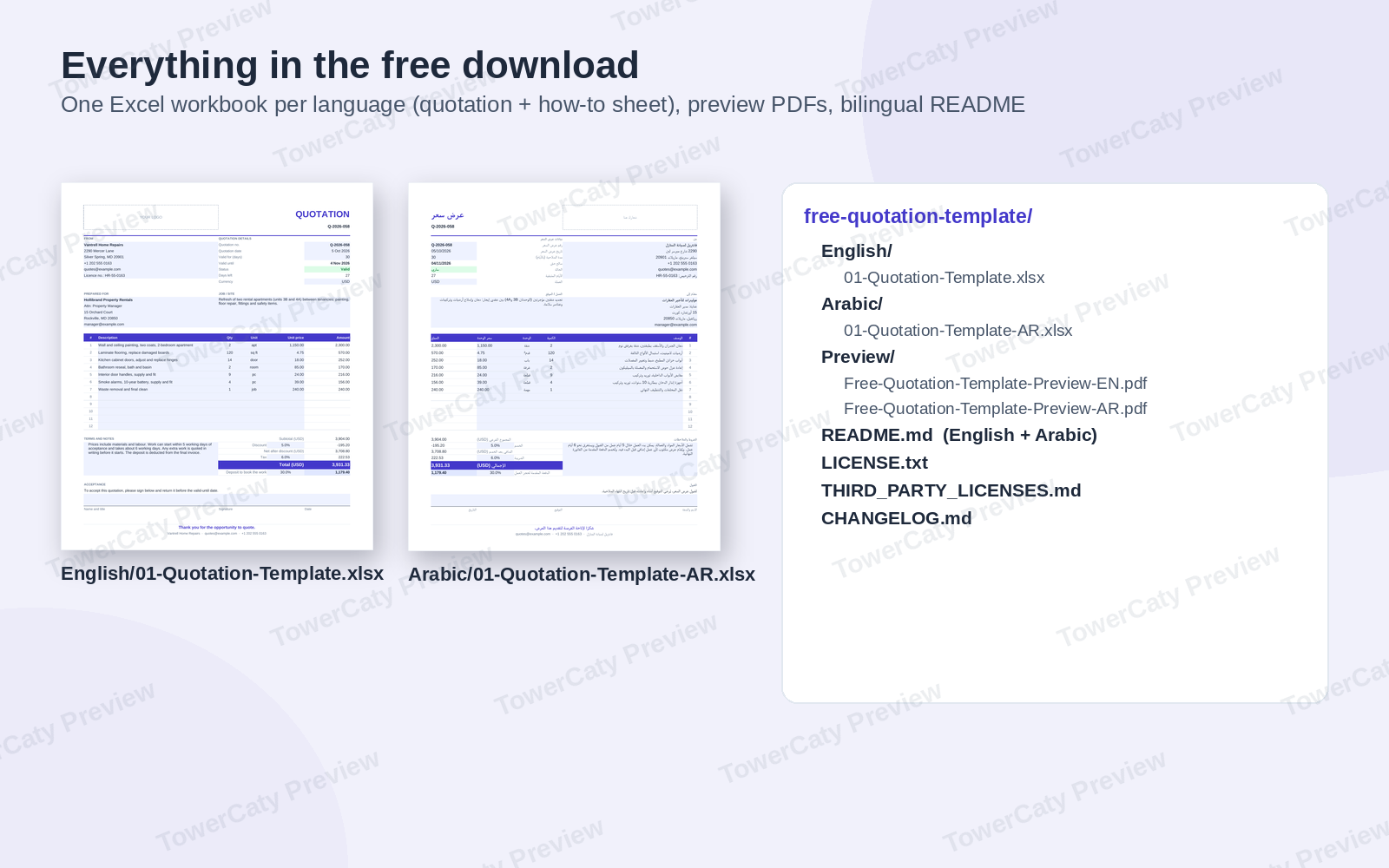
English/ and Arabic/ folders hold the same workbook. The Arabic quotation uses a right-to-left sheet with Western digits and the same formulas.
Good to know
- Shaded input cells; formula cells are locked with sheet protection without a password. A currency code cell feeds every total label.
- Print area set to one A4 page, with US Letter instructions in the README. Arial only. Plain .xlsx, no macros.
- Includes a preview PDF per language and a README in English and Arabic. All names and figures are fictional samples.
Want more than one quotation?
The premium Quotation & Estimate Templates for Small Business pack adds a Word quotation, a project estimate with low-to-high ranges, a price list and rate card, a quote acceptance form with follow-up emails and a quote tracker with win rate, in four languages (English, Arabic, French and Spanish).
What's included
- Complete product files (ZIP)
Languages
The product files and designs come in these languages.
Features
- Free quotation template for Excel, one A4 page
- 12 line items with quantity, unit and unit price
- Line amounts, subtotal, discount, tax and total calculated
- Discount % applied before tax
- Deposit % to book the work, calculated from the total
- Valid-until date from the quotation date and validity days
- Valid / Expired status and days left, updated each time the file opens
- Currency code shown in every total label
- Terms and notes, plus an acceptance block for name, signature and date
- How to use sheet inside the workbook
- Shaded input cells; formulas protected without a password
- English and Arabic (right-to-left) versions with Western digits
- Preview PDF per language and a bilingual README
- No macros: a plain .xlsx file
Requirements
Microsoft Excel 2016 or later or Microsoft 365 (Windows or Mac), or LibreOffice Calc 7 or later. The workbook can also be uploaded to Google Drive and opened with Google Sheets. A PDF viewer for the preview files. No software is included.
Compatibility
Excel workbook (.xlsx, no macros): Microsoft Excel 2016 or later and Microsoft 365, LibreOffice Calc 7 or later, Google Sheets after upload (formulas work; sheet protection and some spacing may look different). Font: Arial. Page size: A4, switchable to US Letter.
Installation
- Download
free-quotation-template-1.0.0.zipand unzip it. - Open the
English/orArabic/folder. - Open the quotation in Excel and save a copy under your own name.
- Look at
Preview/to see every page. - Read
README.mdfor editing, logo and printing tips.
User guide
- Fill in: type over the shaded cells; everything else is calculated.
- Validity: quotation date + valid for (days) = valid until; the status turns to Expired after that date.
- Discount, tax and deposit: enter percentages, or 0%.
- Logo: Review > Unprotect Sheet (no password), then Insert > Pictures over the YOUR LOGO box.
- Send: save as PDF (File > Save As or Export > PDF) and keep the Excel file.
- Letter size: Page Layout > Size > Letter.
License
| CommercialFree | |
|---|---|
| Projects | 5 |
| Users or sites | 1 |
| Commercial use | Allowed |
| Modification | Allowed |
| Resale | Not allowed |
| Redistribution | Not allowed |
| Updates | 12 months |
| Support period | 12 months |
Pay with PayPal or a debit or credit card. We send your product once the payment is confirmed.
Support & Updates
Support is provided at hello@towercaty.com. Please mention the product name and version (Free Quotation Template 1.0.0), the file and the app you are using, and a short description or screenshot of the issue.
Changelog
1.0.0
- Version 1.0.0: first release in the store.
Last Updated
- Last update
- Oct 8, 2026
- Version
- 1.0.0