
Personal Finance Dashboard (Excel)
From $11.00
An editable Excel dashboard for your money: income, expenses, monthly budget, savings goals, debts and net worth, with 12 live KPIs, 8 charts and warnings. Arabic (RTL), English, French and Spanish.
- Secure payment via PayPal
- Instant digital delivery
- Clear licensing
- Support available
Overview
See where your money goes
Record income and expenses, set a monthly budget, and follow your savings goals, debts and net worth in one workbook. The Dashboard calculates everything from your own entries.
What's inside
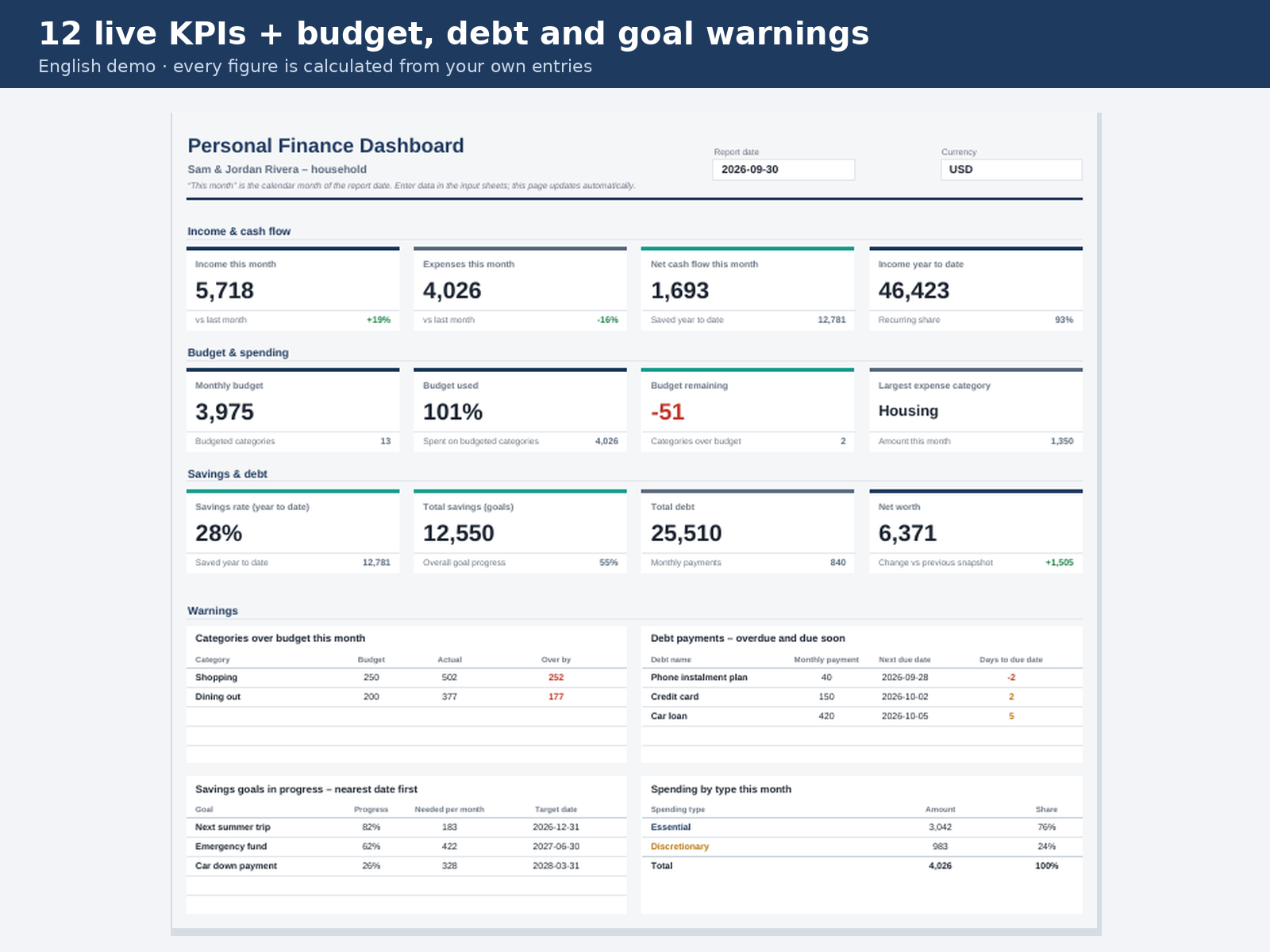
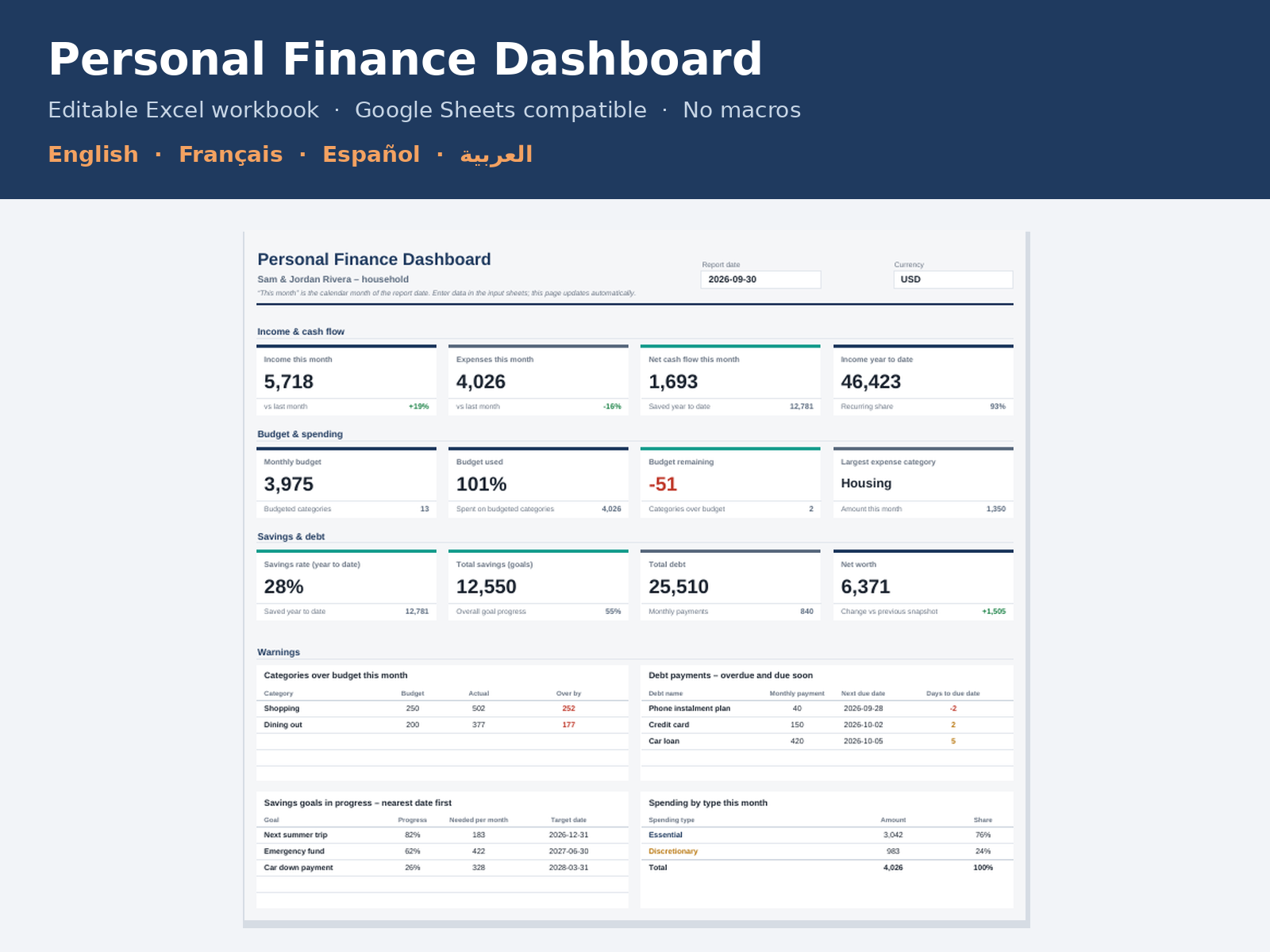
- Dashboard with 12 KPI cards, 4 warning panels and 8 charts
- Budget: actual, remaining, variance, % used and status per category
- Savings Goals: progress, amount still needed and the monthly amount to save
- Debts: % paid off, monthly interest, estimated payoff and due-date alerts
- Net Worth: month-end snapshots of assets and liabilities
- Income and Expenses logs with categories, accounts and essential/discretionary tagging
Four languages
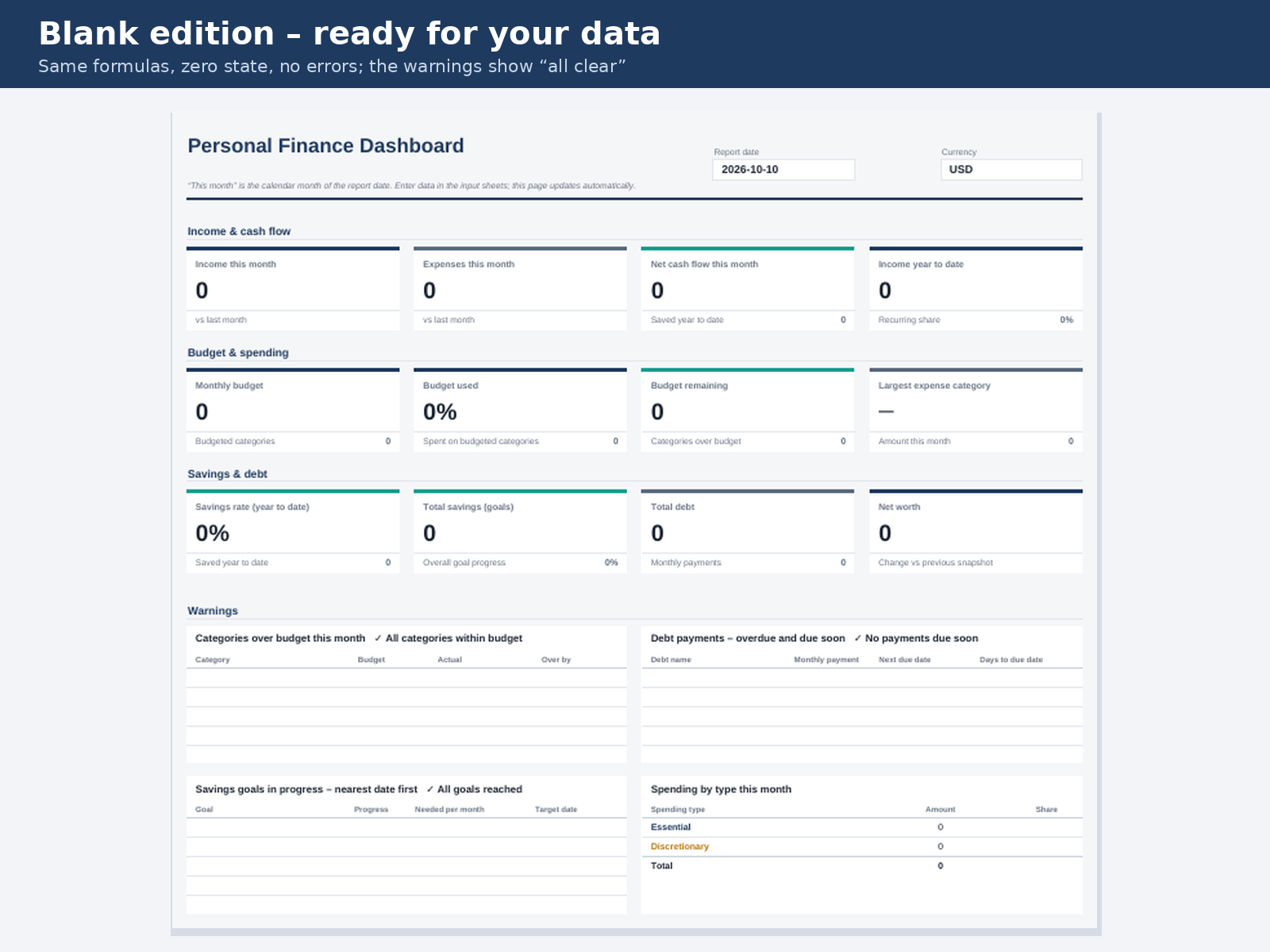
Separate workbooks in Arabic (true right-to-left layout), English, French and Spanish, each as a Blank and a Demo edition.
Good to know
One currency per workbook. Payoff times are estimates. This is a personal tracking tool, not financial advice.
What's included
- Complete product files (ZIP)
Languages
The product files and designs come in these languages.
Features
- Real .xlsx workbook: every KPI and chart is calculated from your own entries
- 12 KPI cards: monthly income, expenses and net cash flow, income year to date, budget used and remaining, largest category, savings rate, total savings, total debt, net worth
- 8 charts: income vs expenses, monthly cash flow with cumulative savings, expenses by category, essential vs discretionary, budget vs actual, savings goals, debt trend, net-worth trend
- Budget sheet with actual, remaining, variance, % used, year-to-date figures and an automatic status
- Savings goals with progress, amount still needed, months left and the amount to save per month
- Debt tracker with % paid off, monthly interest, estimated months to pay off and due-date alerts
- Net worth from month-end snapshots of assets and liabilities
- Warnings for categories over budget, payments overdue or due soon, and goals in progress
- Essential vs discretionary spending and recurring vs one-off income
- Arabic edition with a genuine right-to-left layout, plus English, French and Spanish
- Blank and Demo editions for every language (8 workbooks)
- Dropdowns, input validation and password-free protection of formula cells
- No macros, add-ins, subscriptions or bank connection required
- PDF user guide in Arabic, English, French and Spanish
Requirements
Microsoft Excel 2016 or later / Microsoft 365 (Windows or Mac), or a Google account for Google Sheets. No macros, add-ins or internet connection needed to use the workbook.
Compatibility
Standard .xlsx workbook built for Excel 2016 or later and Microsoft 365 (Windows and Mac). It uses only standard worksheet functions: no dynamic arrays, pivot tables or macros. It also opens in Google Sheets with formulas, dropdowns, conditional formatting and charts; sheet protection is not imported there and chart styling may differ slightly. Tested by TowerCaty in LibreOffice Calc 24.2 with no formula errors.
Installation
- Unzip the download.
- Open the folder for your language (ar, en, fr or es).
- Open the Blank workbook for your own data, or the Demo workbook to explore.
- For Google Sheets: upload the .xlsx to Google Drive and open it with Google Sheets.
User guide
Start with Settings (name, currency), then record income and expenses in the yellow cells, set a monthly budget per category, and keep savings goals, debts and a month-end net-worth snapshot up to date. The Dashboard and Reports update automatically. The full PDF guide in your language is in the download.
License
| Personal$11.00 | Commercial$19.00 | Extended$27.00 | |
|---|---|---|---|
| Projects | 1 | 5 | Unlimited |
| Users or sites | 1 | 1 | 5 |
| Commercial use | Not allowed | Allowed | Allowed |
| Modification | Allowed | Allowed | Allowed |
| Resale | Not allowed | Not allowed | Not allowed |
| Redistribution | Not allowed | Not allowed | Not allowed |
| Updates | 12 months | 12 months | Lifetime |
| Support period | 6 months | 12 months | 12 months |
Pay with PayPal or a debit or credit card. We send your product once the payment is confirmed.
Support & Updates
Support is available through the TowerCaty contact page. Please mention the product code TC-XLS-002.
Changelog
1.0.0
- Version 1.0.0: first release in the store.
Last Updated
- Last update
- Oct 10, 2026
- Version
- 1.0.0