
Business Financial Planning Excel Templates
$15.00
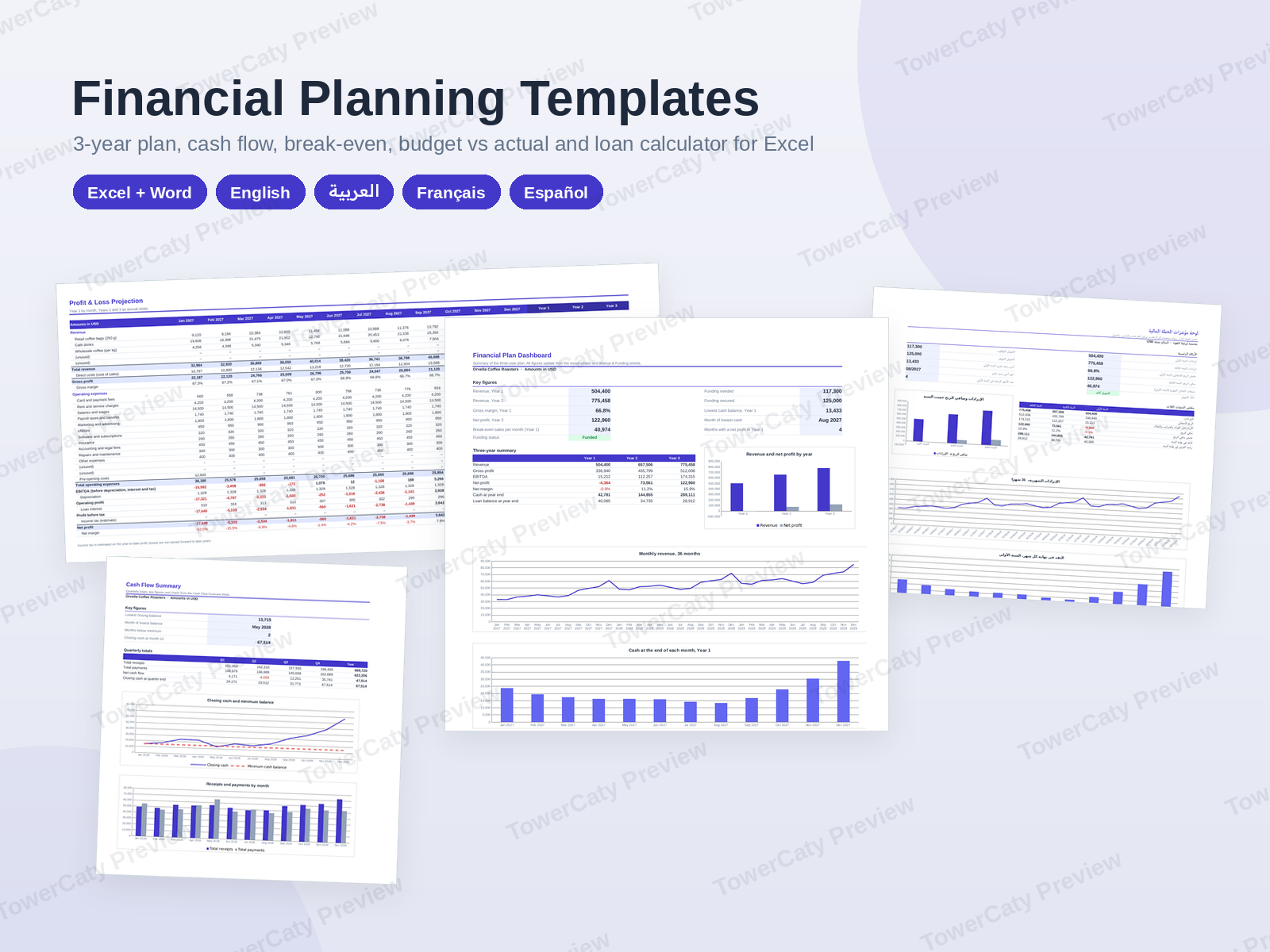
A complete financial planning template for Excel: a linked three-year plan with sales forecast, profit and loss, cash flow and dashboard, plus 12-month cash flow, break-even, budget vs actual and loan calculator workbooks. In English, Arabic, French and Spanish.
- Secure payment via PayPal
- Instant digital delivery
- Clear licensing
- Support available
Overview
Business Financial Planning Excel Templates is a complete financial planning template for Excel, made for founders, small businesses and the advisers who help them: a linked three-year financial plan, four focused planning tools and a short Word guide. Enter your assumptions once and the forecasts, statements and charts follow.
What is in the ZIP (per language)
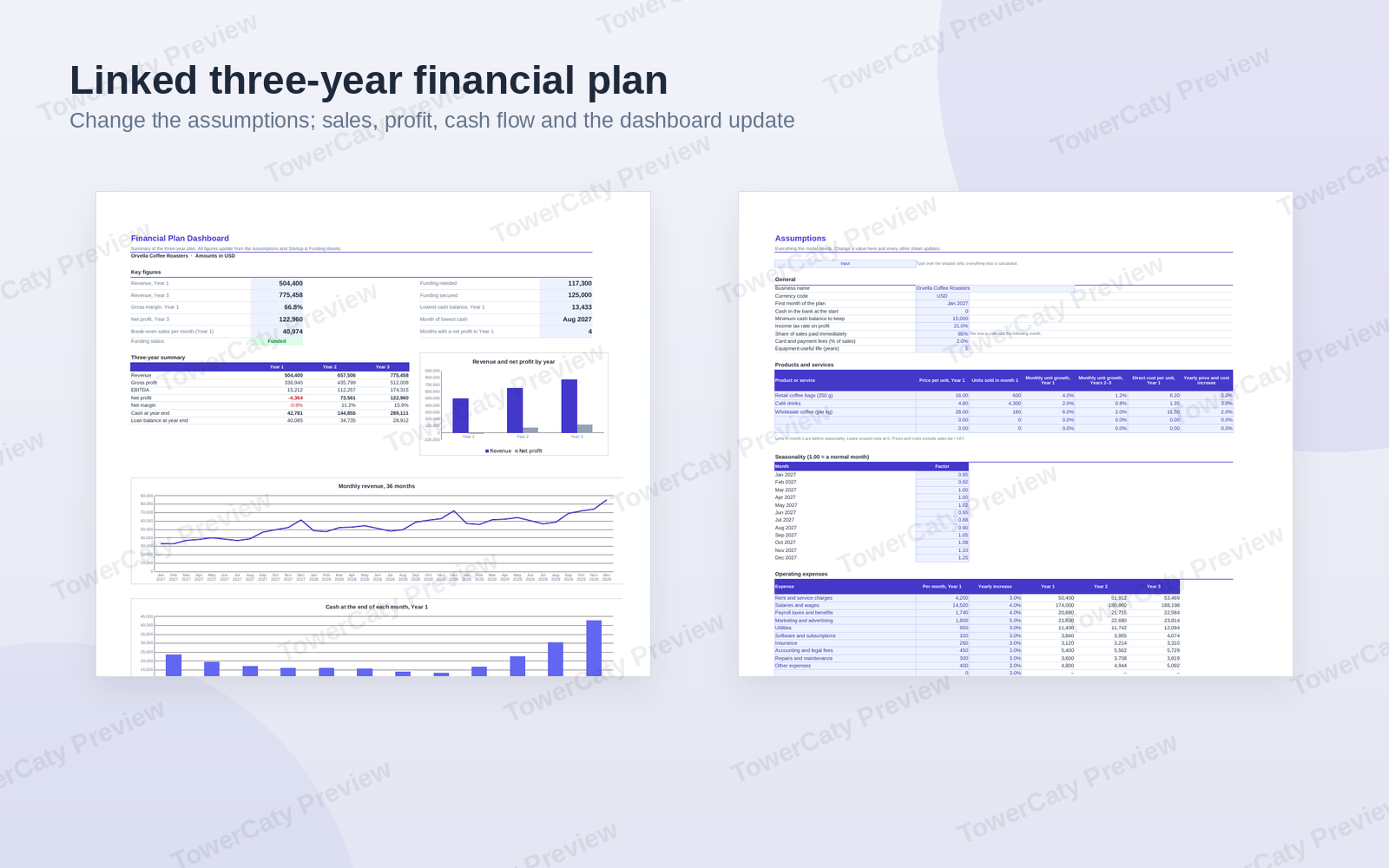
- 01-Three-Year-Financial-Plan.xlsx (Excel): an Assumptions sheet (up to 5 products or services, monthly growth, seasonality, payment terms, 12 operating expense lines with yearly increases) drives a 36-month sales forecast, a profit and loss projection (Year 1 by month, Years 2–3 annual), a cash flow forecast with a minimum-cash check, a Startup & Funding sheet (equipment, pre-opening costs, cash reserve, funding sources, surplus or shortfall), a loan schedule and a dashboard with key figures, a three-year summary and 3 charts.
- 02-Cash-Flow-Forecast-12-Months.xlsx (Excel): 4 receipt and 15 payment lines over 12 months, closing cash, headroom above your minimum, Below minimum warnings, quarterly summary and 2 charts.
- 03-Break-Even-Analysis.xlsx (Excel): fixed costs, up to 5 products with sales mix, break-even units and sales per month and year, margin of safety, target profit, operating leverage, a break-even chart and a price × volume what-if table.
- 04-Budget-vs-Actual.xlsx (Excel): annual operating budget by month, actual results, monthly variance, year-to-date summary with Favourable / Unfavourable / On budget status, full-year forecast, budget remaining and 2 charts.
- 05-Loan-Calculator.xlsx (Excel): payment, total interest, payoff date, extra payments, approximate annual rate including fees, repayment schedule, yearly summary, a comparison of 3 loan offers and 2 charts.
- 06-Financial-Planning-Guide.docx (Word): a 4-page guide with contents, step-by-step instructions, how to read the results, a checklist and a glossary.
Four languages
English/, Arabic/, French/ and Spanish/ folders hold the same six files, each written for its readers. The Arabic workbooks use right-to-left sheets and the Arabic guide uses right-to-left paragraphs and tables, with Western digits.
Built to be used
- Real formulas throughout (more than 6,000 per language); input cells are shaded and every formula cell is locked with sheet protection without a password.
- Every workbook starts with a How to use sheet. Print areas are set for A4, with US Letter instructions in the README.
- Arial only, one indigo accent colour, plain .xlsx and .docx files with no macros.
Also included
- One preview PDF per language with every page of every file.
- README in English and Arabic (editing, formulas, branding, printing, compatibility), licence and changelog.
Sample figures belong to fictional businesses and are meant to be replaced. These templates are planning tools, not financial, tax, legal or investment advice.
What's included
- Complete product files (ZIP)
Languages
The product files and designs come in these languages.
Features
- 6 files per language: 5 linked-formula Excel workbooks and a Word guide
- Four languages: English, Arabic (right-to-left), French and Spanish
- Three-year financial plan driven by one Assumptions sheet
- 36-month sales forecast for up to 5 products with growth and seasonality
- Profit and loss projection: Year 1 monthly, Years 2 and 3 annual
- Cash flow forecast with a minimum-cash check for every month
- Startup costs and funding sheet showing a surplus or shortfall
- Loan schedule linked to the profit and loss and cash flow
- Dashboard with key figures, three-year summary and 3 charts
- Standalone 12-month cash flow forecast with quarterly summary and charts
- Break-even analysis with sales mix, margin of safety and target profit
- Break-even chart and price × volume what-if table
- Annual operating budget vs actual with monthly variance
- Year-to-date status: Favourable, Unfavourable or On budget
- Loan calculator with extra payments, payoff date and repayment schedule
- Comparison of three loan offers by total cost of borrowing
- Input cells shaded, formulas locked with protection without a password
- How to use sheet inside every workbook
- 4-page Word guide with contents, checklist and glossary
- A4 print areas set, with US Letter instructions
- Arial only, one accent colour, no macros
- One preview PDF per language showing every page
Requirements
Microsoft Excel and Word 2016 or later, Microsoft 365 (Windows or Mac), or LibreOffice 7 or later. The files can also be uploaded to Google Drive and opened with Google Sheets and Google Docs (see the compatibility notes). A PDF viewer for the preview files. No software is included in the package.
Compatibility
Excel workbooks (.xlsx, no macros) and Word documents (.docx): Microsoft Excel and Word 2016 or later and Microsoft 365, LibreOffice 7 or later, Google Sheets and Google Docs after upload (sheet protection works as a warning there, and charts may look slightly different). Font: Arial. Page size: A4, switchable to US Letter.
Installation
- Download
financial-planning-templates-1.0.0.zipand unzip it. - Open the folder for your language:
English/,Arabic/,French/orSpanish/. - Start with
01-Three-Year-Financial-Plan.xlsx(or the tool you need) and save a copy under your own name. - Look at
Preview/to see every page before you start. - Read
README.mdor the Word guide for step-by-step help.
User guide
- Fill in: type over the shaded cells; everything else is calculated.
- Three-year plan: complete the Assumptions and Startup & Funding sheets; the forecast, profit and loss, cash flow, loan schedule and dashboard update.
- Cash check: months marked Below minimum need more funding, lower spending or a slower start.
- Budget vs Actual: enter actual figures each month and choose the reporting month on the summary.
- Change the layout: Review > Unprotect Sheet (no password), then protect again.
- Colour: the indigo accent (#4338CA) is used for titles, table headers and charts.
- Print / PDF: print areas are set for A4; for Letter use Page Layout > Size > Letter.
- Advice: the templates are planning tools; check important decisions with an accountant.
License
| Commercial$15.00 | |
|---|---|
| Projects | 5 |
| Users or sites | 1 |
| Commercial use | Allowed |
| Modification | Allowed |
| Resale | Not allowed |
| Redistribution | Not allowed |
| Updates | 12 months |
| Support period | 12 months |
Pay with PayPal or a debit or credit card. We send your product once the payment is confirmed.
Support & Updates
Support is provided at hello@towercaty.com. Please mention the product name and version (Financial Planning Templates 1.0.0), the file and the app you are using, and a short description or screenshot of the issue.
Changelog
1.0.0
- Version 1.0.0: first release in the store.
Last Updated
- Last update
- Oct 8, 2026
- Version
- 1.0.0