School Library Dashboard
$49.00
School library dashboard in English, Arabic (full RTL), French and Spanish: circulation with loan limits per grade, catalog with reading levels, students, class visits, a reading challenge, overdue books and reports. Front-end only; nothing is sent.
- Secure payment via PayPal
- Instant digital delivery
- Clear licensing
- Support available
Overview
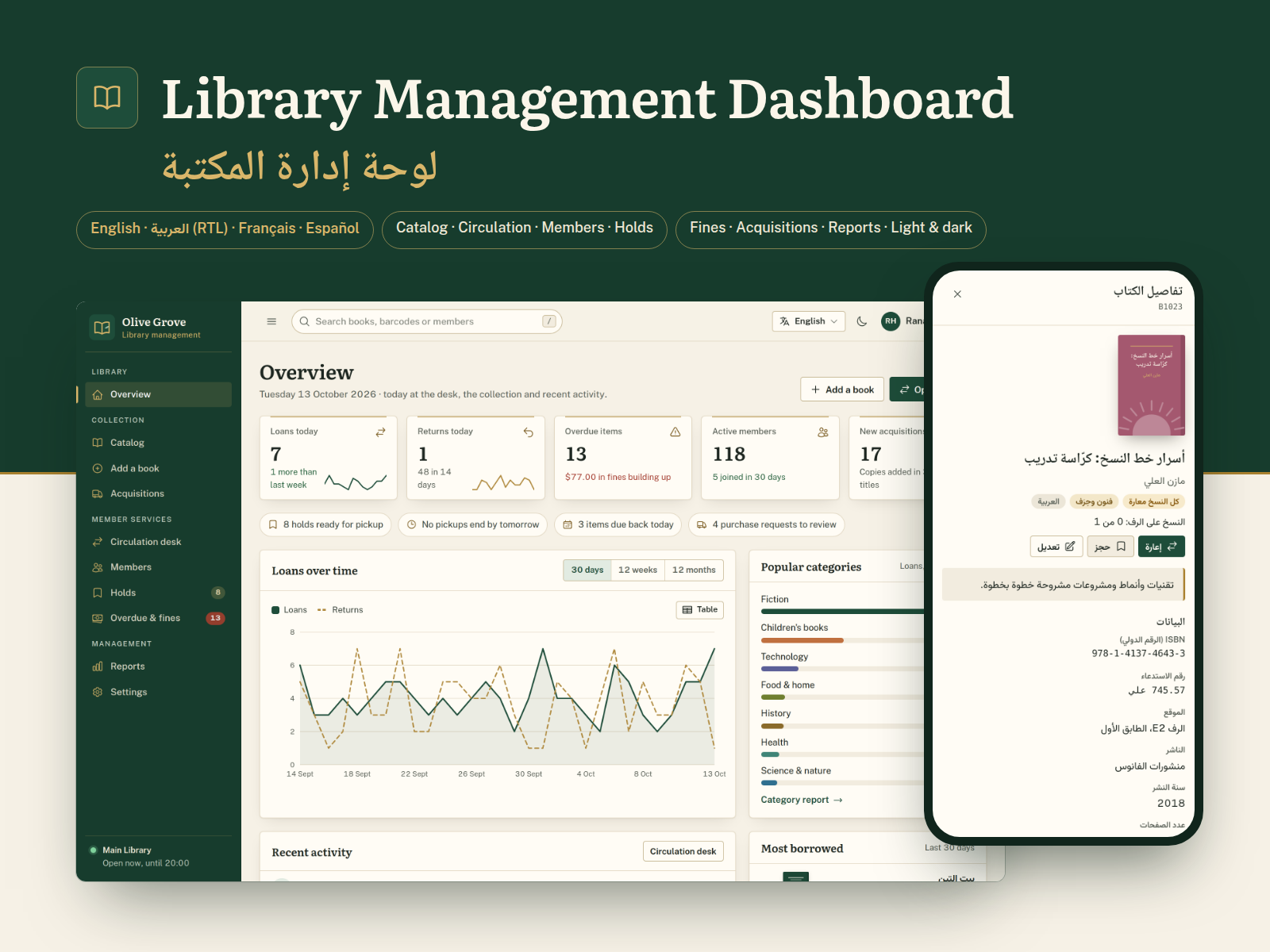
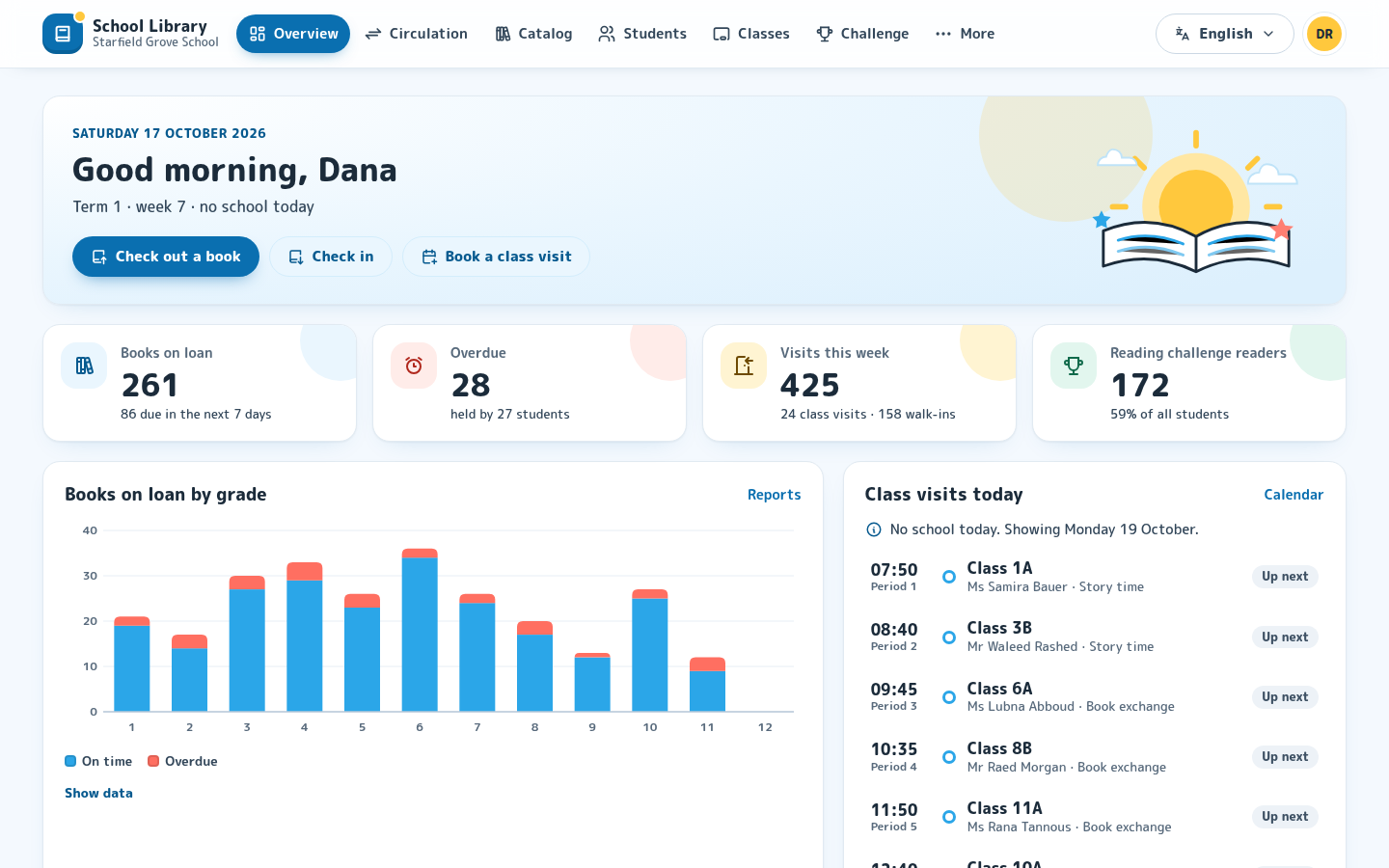
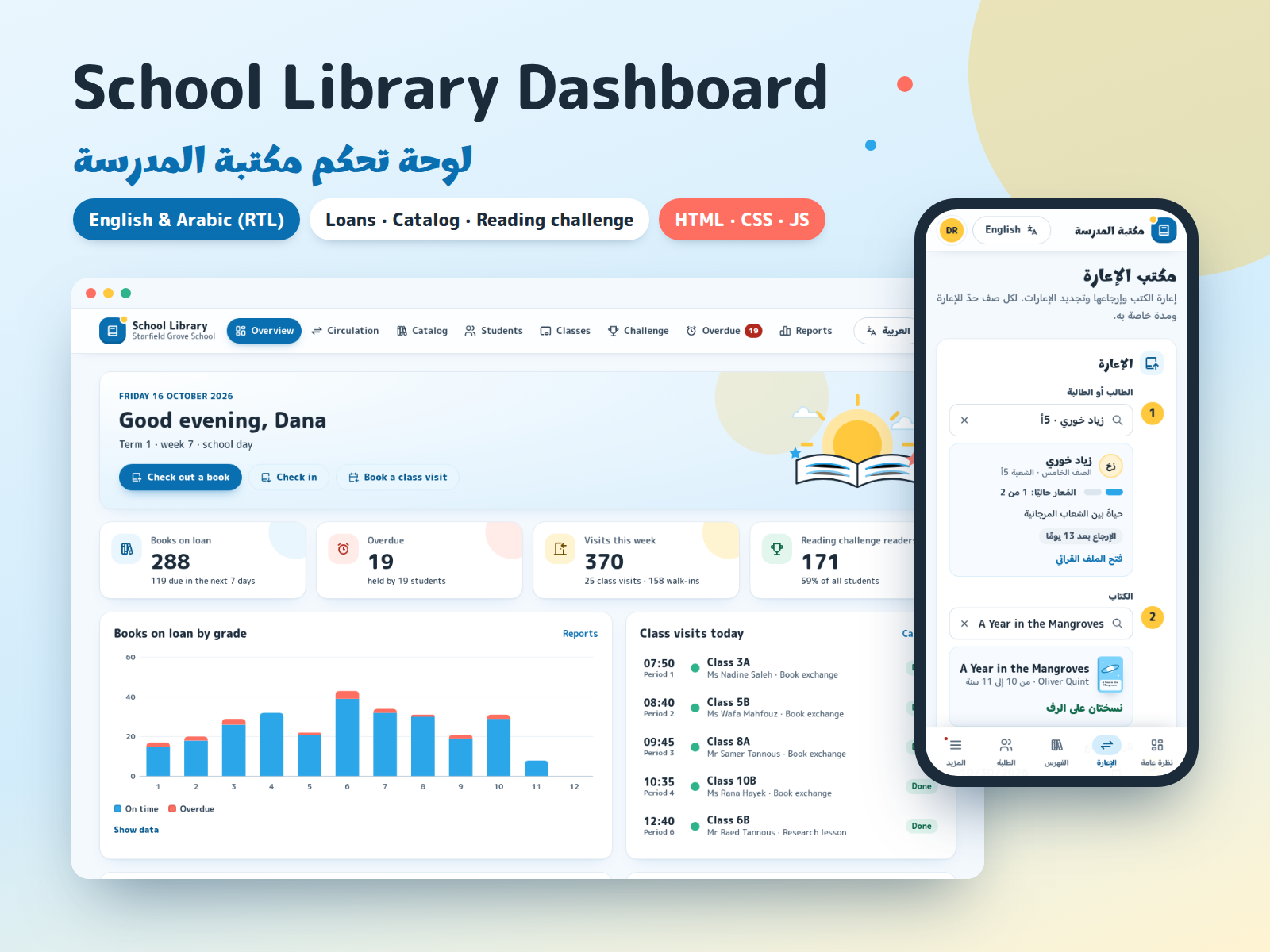
School Library Dashboard is a ready-made interface for the daily work of a school library, in four languages (English, Arabic, French and Spanish): lending and returning books with a loan limit for each grade, a catalog with reading levels and curriculum links, students and their reading, class visits to the library, a reading challenge with badges, overdue books and reports.
It is a front-end template: static HTML, CSS and JavaScript with realistic sample data for a fictional school. Book titles, authors, students and teachers are all invented, and the book covers are drawn in code. Open index.html and every page works, offline, with no server, database or build step.
Please note: nothing is sent anywhere. Loans, returns, renewals, new books, reading logs, visit bookings and settings are saved only in the visitor's own browser (localStorage) so the demo behaves like a real dashboard. The template does not send email, SMS or push notifications. The Notify button for overdue books is interface only: it prepares a reminder text to copy and records that a reminder was noted. There is no barcode scanner support built in, the sign-in screen is a demo, and roles in Settings are shown for planning only. To use it with real school data, a developer connects the screens to your own backend; the README shows where.
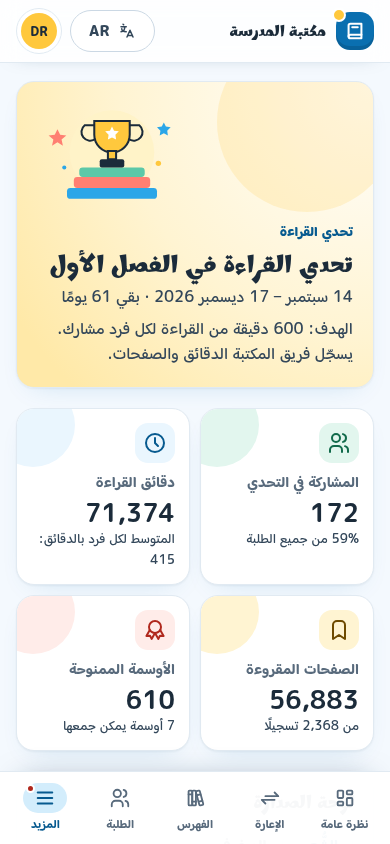
Four languages, chosen from a menu in the header: English, Arabic, French and Spanish, with dates, numbers and plurals written the way each language writes them. Arabic is a real right-to-left layout: the menus, drawers, tables, tabs and charts mirror, and the dashboard can show Western or Arabic-Indic digits.
Design: bright and friendly, with white cards and sky blue, sunshine yellow and coral accents, rounded fonts for Latin and Arabic, large 18px cards, original illustrations and badges, a top menu on desktop and a compact bottom bar on phones.
What's included
- Complete product files (ZIP)
Languages
The product files and designs come in these languages.
Features
- 11 pages: overview, circulation, catalog, students, classes and teachers, reading challenge, overdue books, reports, settings, a demo sign-in screen and a 404 page
- English, Arabic, French and Spanish: a language menu in the header and the phone's More sheet, full right-to-left Arabic, dates and numbers per language, Western or Arabic-Indic digits
- Overview: books on loan, overdue, library visits this week, challenge readers, loans by grade, today's class visits, new arrivals and recent desk activity
- Circulation: find a student and a book by typing, see loans against the grade's limit, due dates on school days only, librarian override of a limit or overdue block
- Check in and renew from one list, with renewal limits and today's desk activity
- Catalog: search and filter by reading level and age band, subject, language, curriculum unit and availability; grid and table views
- Book drawer with copies, shelf, who has each copy and loan history; add and edit books with validation
- Students by grade and class with search and sorting; profile with current loans, history, reading log, badges and joining the challenge
- Classes and teachers: roster, a printable class loan list and a week calendar of library visits by period, with booking and cancelling
- Reading challenge: leaderboard by class or grade, ranked by minutes, pages or minutes per reader; top readers and seven badges
- Overdue list with search, filters, sorting and selection; Notify parent or teacher prepares a reminder to copy (interface only, nothing is sent)
- Reports: borrowing by grade, top books per grade, category mix and monthly visits, for this term, the last 30 days or the school year, with CSV export (semicolon-separated in French and Spanish)
- Settings: loan limit and loan period per grade, renewals, school terms, Monday-Friday or Sunday-Thursday week, holidays, users and roles
- Charts drawn in SVG with tooltips, keyboard access and a table view for each chart
- Top menu on desktop and a compact bottom bar with a More sheet on phones; tables become stacked rows on small screens
- Original drawn book covers, illustrations and badges; no photos. You can map books to your own cover images
- Accessible basics: landmarks, labelled fields with inline errors, keyboard dialogs, tabs and menus, visible focus, AA contrast, reduced motion
- Front-end only: changes are saved in the visitor's browser and nothing is sent; no email, SMS, notifications, barcode hardware or backend included
- Plain HTML, CSS and JavaScript, no build step, no external requests; works by double-clicking index.html or on any static host
- One config file for school name, grades, class sections, school week, bell schedule and menu; all texts in one locale file per language
Requirements
Only a current browser: Chrome or Edge 111+, Firefox 121+ or Safari 16.2+. No server, database, Node.js or build step, and no internet connection needed. Hosting is optional, on any static file host.
Compatibility
Desktop, tablet and phone, responsive from 390 px wide. Works when opened straight from the folder or from a static server. Tested in Chromium; the other browsers listed support the same standard features. Fonts and icons are included in the download and cover English, Arabic, French and Spanish.
Installation
- Unzip
school-library-dashboard-1.1.0.zip. You get one folder,school-library-dashboard/. - Double-click
school-library-dashboard/index.html. The dashboard opens in your browser with its sample data. No installation, server or internet connection is needed. - Optional: preview it over
http://with any static server, for examplepython3 -m http.server 8080inside the folder, then openhttp://localhost:8080/. - To publish it, upload the folder as it is to any static host (your school's server, Netlify, Cloudflare Pages, GitHub Pages). There is no build command. If you add real student data, protect the site with your host's access controls, because the sign-in screen is a demo.
Start customizing in assets/js/config.js (school name, grades, sections, school week, bell schedule, menu). The README covers colors, fonts, cover images, texts and how to connect your own backend.
User guide
Navigate with the top menu. On smaller screens some pages move into the More menu; on phones the bottom bar holds Overview, Circulation, Catalog and Students, and More opens the rest.
Language: the language button in the header opens a menu with English, العربية, Français and Español; on phones the same choice is in the More sheet. A link can also open a page in one language with ?lang=fr (or en, ar, es). Arabic-Indic digits are in Settings → Display and data. Your choices are remembered in this browser.
Lend a book: on Circulation, type a student's name or number and pick from the list (arrow keys and Enter work), then do the same for the book. The student card shows current loans against the grade's limit. The due date follows the grade's loan period and must be a school day. If the limit is reached or a book is overdue, the librarian can tick the override to lend anyway.
Return and renew: use the list on the right of Circulation, or Check in on the Overdue page.
Catalog: filter by reading level, subject, language, curriculum unit or availability, then click a book to see its copies and loan history. Add book opens a form with validation.
Students: filter by grade and class, then click a name to open the profile. Add reading minutes and pages under Reading log; badges update from the log.
Classes: pick a class to see its roster and loan list (Print uses the browser's print dialog). The Visit calendar tab shows the week by period; click a free slot to book a visit.
Overdue: Notify opens a reminder text for the parent or the class teacher. Copy it into your school's own messaging tool, then mark the reminder as done. The dashboard itself sends nothing.
Reports: pick a period; each report has Export CSV and each chart a Show data table.
Demo data: changes are saved only in your browser and are never sent anywhere. Settings → Display and data exports everything as JSON or resets the sample data.
License
| Commercial$49.00 | |
|---|---|
| Projects | 5 |
| Users or sites | 1 |
| Commercial use | Allowed |
| Modification | Allowed |
| Resale | Not allowed |
| Redistribution | Not allowed |
| Updates | 12 months |
| Support period | 12 months |
| License key | Yes |
Pay with PayPal or a debit or credit card. We send your product once the payment is confirmed.
Support & Updates
TowerCaty provides support through the contact details in your order email or on the product page. Please include your order number, the product and version (School Library Dashboard 1.1.0) and your browser. Support covers the template as delivered, not connecting it to your own backend.
Changelog
1.1.0
- Version 1.1.0: first release in the store.
Last Updated
- Last update
- Oct 17, 2026
- Version
- 1.1.0