
Library Management Dashboard
$49.00
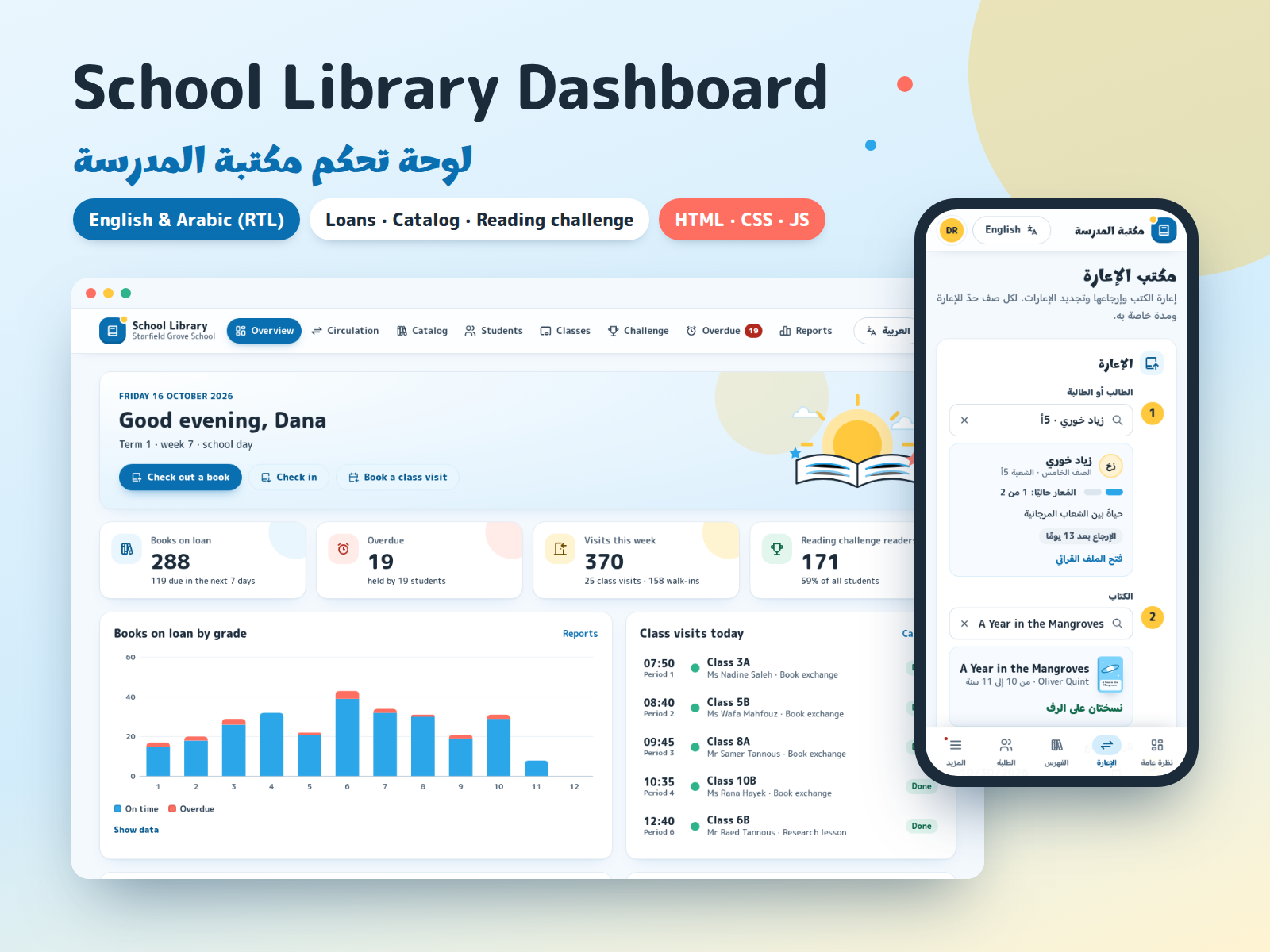
Staff dashboard template in English, Arabic (full RTL), French and Spanish for a public or community library: catalog with book drawer, circulation desk, members, holds, overdue items and fines, acquisitions, reports and settings. Front-end only, with fictional sample data.
- Secure payment via PayPal
- Instant digital delivery
- Clear licensing
- Support available
Overview
Library Management Dashboard is a ready-made staff interface for a public, school or community library, in English, Arabic, French and Spanish. It covers the daily work at the desk and behind it: the catalog, adding and editing books, check-out, check-in and renewals, members, holds, overdue items and fines, acquisitions with a yearly budget, reports, and settings for loan rules, opening hours, branches and staff roles.
It is a front-end template: static HTML, CSS and JavaScript with realistic, fictional sample data for an invented library with two branches. Open index.html and every page works, even offline, with no server, no database and no build step.
Please note: nothing is sent anywhere. Check-outs, returns, renewals, new books and members, holds, payments, orders and settings are saved only in the visitor's own browser (localStorage) so the demo behaves like a real system. The template does not send email, text messages, letters or notifications: the "Send reminder" button is interface only and records the reminder date. The sign-in page is a screen only and checks no account. There are no payments and no barcode-scanner or other hardware integration. To run a real library with it, a developer connects the screens to your own backend; the README shows where.
Four languages: English, Arabic, French and Spanish, chosen from a menu in the header. Every interface text is translated, and dates, numbers and amounts follow each language's own formats. Sample book titles and names are fictional and stay in their own language.
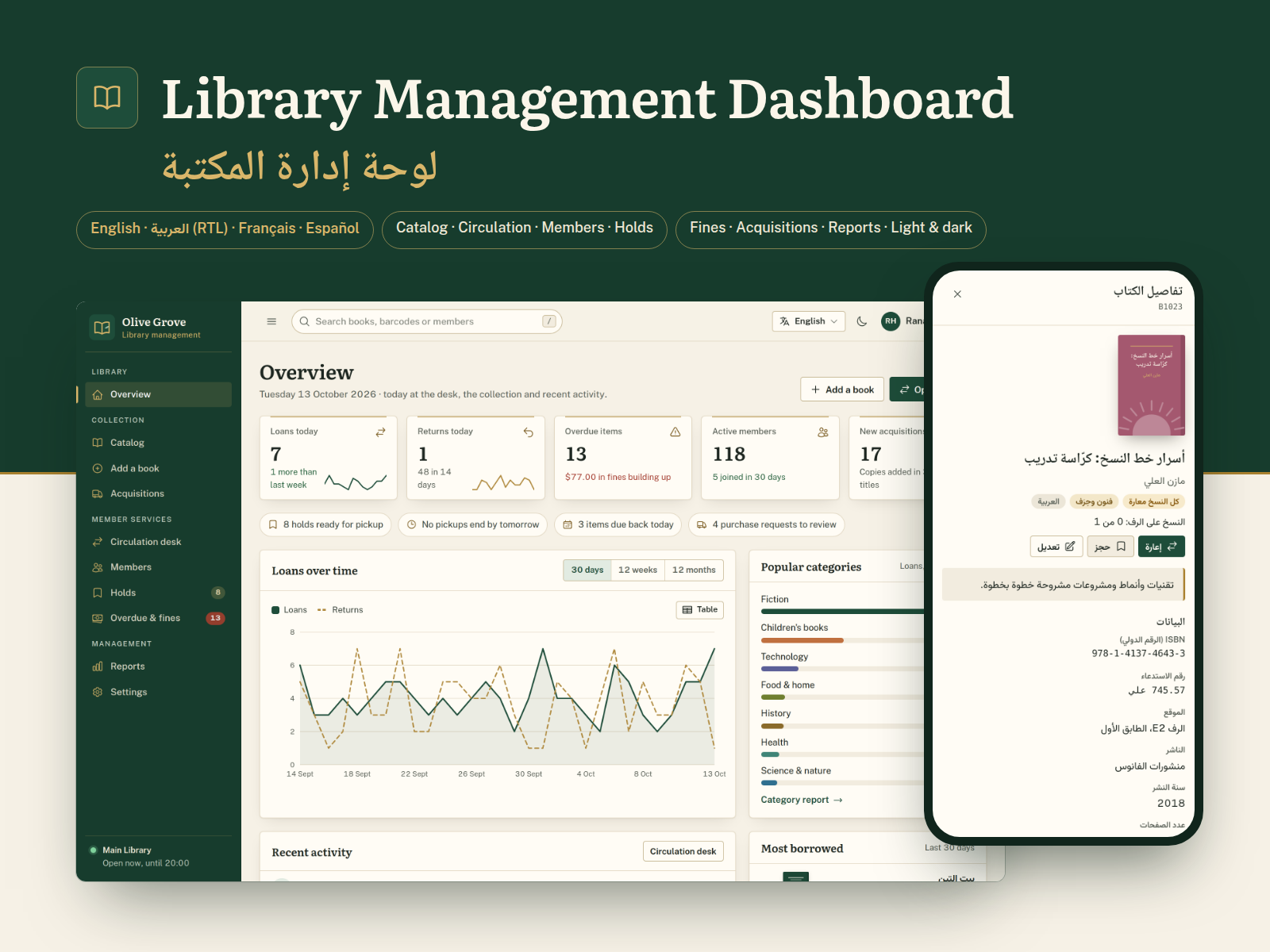
Arabic is a real right-to-left layout: the sidebar, drawers, tables and time charts mirror, Arabic plural forms and dates are handled, and Western or Arabic-Indic digits can be shown.
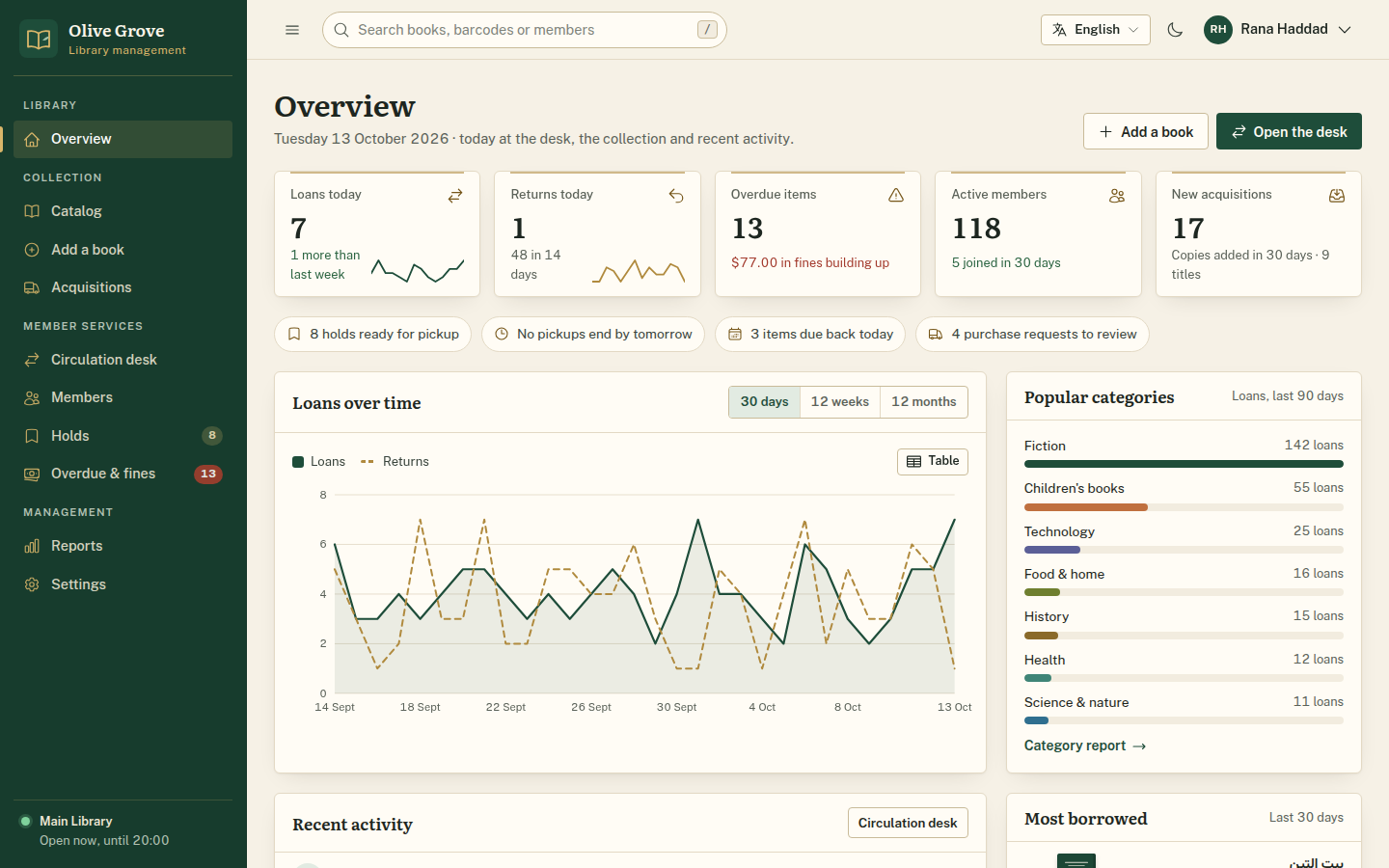
Design: calm and editorial. Warm ivory pages, deep forest green with brass accents, Literata and Noto Naskh Arabic headings with Public Sans and Vazirmatn for the interface, a left sidebar with grouped sections, thin-rule cards, light and dark themes, and drawn book covers instead of photos.
What's included
- Complete product files (ZIP)
Languages
The product files and designs come in these languages.
Features
- 13 pages: overview, catalog, add/edit book, circulation desk, members, member profile, holds, overdue & fines, acquisitions, reports, settings, sign-in screen and 404
- English, Arabic, French and Spanish, with a language menu in the header; Arabic has a full right-to-left layout and Western or Arabic-Indic digits
- Dates, numbers, percentages and amounts formatted for each language, and the page language set for browsers and screen readers
- Overview: loans and returns today, overdue items, active members, new acquisitions, a to-do strip, loans over time, popular categories, recent activity
- Catalog: search by title, author, ISBN, call number or barcode; filters for category, language, availability and shelf; sorting; pages; CSV export
- Book drawer with cover, details, every copy with branch, shelf and status, the hold queue and the loan history
- Add and edit books with validation (required fields, ISBN-10/13 check digit, year range), copies per branch and a live cover preview
- Circulation desk: check out with member and book pickers, copy choice and due date; check in by barcode, title or member; renewals
- Loan rules applied in the browser: loan and renewal limits per membership type, late fines with a cap, borrowing blocked above a fine limit
- Returned books with a waiting hold go to the hold shelf for the next member
- Members: search, filters, add/edit form; member profile with loans, holds, fines, history, favourite categories and staff notes
- Holds: hold shelf with lend or not collected, waiting queues you can reorder, history and a new-hold form
- Overdue & fines: days late and fine so far, mark as paid, waive with a reason, CSV export
- "Send reminder" (single or bulk) is interface only: it records the date and previews the message, and sends nothing
- Acquisitions: purchase requests (approve, reject, add to order), orders from draft to received, line-by-line receiving, yearly budget
- Reports: circulation by month, top titles, category mix and member growth for 6 or 12 months, with CSV export of the table you are viewing
- Settings: loan rules, opening hours per branch, branches, staff and roles, display options, JSON export and reset of the sample data
- SVG charts with tooltips, keyboard reading and a table view; time charts mirror in Arabic
- Original drawn book covers, with a simple option to use your own cover images
- Light and dark themes, global search (press /), print styles
- Responsive from 390 px phones to wide desktops; tables become stacked rows on phones
- Accessibility basics: landmarks, labelled fields with clear errors, keyboard-friendly dialogs, drawers, tabs and pickers, visible focus, AA contrast, reduced motion
- Front-end only: no server, database or real sign-in; changes stay in the browser; no email, SMS, notifications, payments or hardware
- Plain HTML, CSS and JavaScript with no build step and no external requests; works by double-clicking index.html or on any static host
- One commented config file for library name, defaults, currency, cover images and menu; all text in four translation files
Requirements
Only a current browser: Chrome or Edge 111+, Firefox 121+ or Safari 16.2+. No server, database, Node.js or build step, and no internet connection needed. Hosting is optional, on any static file host.
Compatibility
Desktop, tablet and phone, responsive from 390 px wide. Works when opened straight from the folder or from a static server. Tested in Chromium; the other browsers listed support the same standard features. Fonts and icons are included in the download.
Installation
- Unzip
library-management-dashboard-1.1.0.zip. You get one folder,library-management-dashboard/. - Double-click
library-management-dashboard/index.html. The dashboard opens in your browser with its sample data. No install, server or internet connection is needed. - Optional: to preview it over
http://, run any static file server inside the folder, for examplepython3 -m http.server 8080, then openhttp://localhost:8080/. - To publish it, upload the folder as it is to any static host (your own server, Netlify, Cloudflare Pages, GitHub Pages or S3). There is no build command.
Start customizing in assets/js/config.js (library name, language, theme, digits, currency, cover images, menu). The README explains colors, fonts, texts, the sample data and how to connect your own backend.
User guide
Navigate with the sidebar. On tablets and phones the menu button in the header opens it as a slide-in panel.
Language and theme: the language menu in the header offers English, العربية, Français and Español (you can also add ?lang=fr or ?lang=es to any page address); the moon/sun button switches light and dark. Arabic digits are in Settings → Display & data. Choices are remembered in this browser.
Catalog: search or filter, then click a title to open the book drawer with its copies, hold queue and loan history. From there you can check the book out, place a hold or edit it.
Circulation desk: on Check out, pick a member and a book (type a name, card number, title or barcode), choose the copy and the due date, then confirm. On Check in, type or paste a barcode and press Enter, or pick from the list of items due back. On Renew, pick a member and renew any loan the rules allow.
Members: open a member to see loans, holds, fines and history, add staff notes, renew the membership or suspend it.
Holds, fines and acquisitions work the same way: a list with tabs and filters, a form or drawer for each record, and actions that update the counters straight away. "Send reminder" only records the date.
Reports: pick 6 or 12 months and a tab; Export this table saves the table you are viewing as CSV.
Demo data: changes are saved in this browser only. Settings → Display & data → Reset sample data brings back the original library.
License
| Commercial$49.00 | |
|---|---|
| Projects | 5 |
| Users or sites | 1 |
| Commercial use | Allowed |
| Modification | Allowed |
| Resale | Not allowed |
| Redistribution | Not allowed |
| Updates | 12 months |
| Support period | 12 months |
| License key | Yes |
Pay with PayPal or a debit or credit card. We send your product once the payment is confirmed.
Support & Updates
TowerCaty provides support through the contact details in your order email or on the product page. Please include your order number, the product and version (Library Management Dashboard 1.1.0) and your browser. Support covers the template as delivered, not connecting it to your own backend.
Changelog
1.1.0
- Version 1.1.0: first release in the store.
Last Updated
- Last update
- Oct 17, 2026
- Version
- 1.1.0